
STEP 01
Two things in every project
Every Loft project keeps two things: the record of the work, and the files. The record (every asset, task, note and version) always lives in Loft. This video is about the files.
Learn/What Loft is for
Every Loft project keeps two things: the record of the work, and the files. This video is about the files: where a project keeps them, when a library keeps its own somewhere else, and how you get at them from your computer.
Follow along
Every Loft project keeps two things: the record of the work, and the files. The record (every asset, task, note and version) always lives in Loft. This video is about the files.
Where your files live comes down to three questions. Where does the project keep its files? Does any library keep its files somewhere else? And what's on this computer? Most projects answer the first one and leave the other two alone.
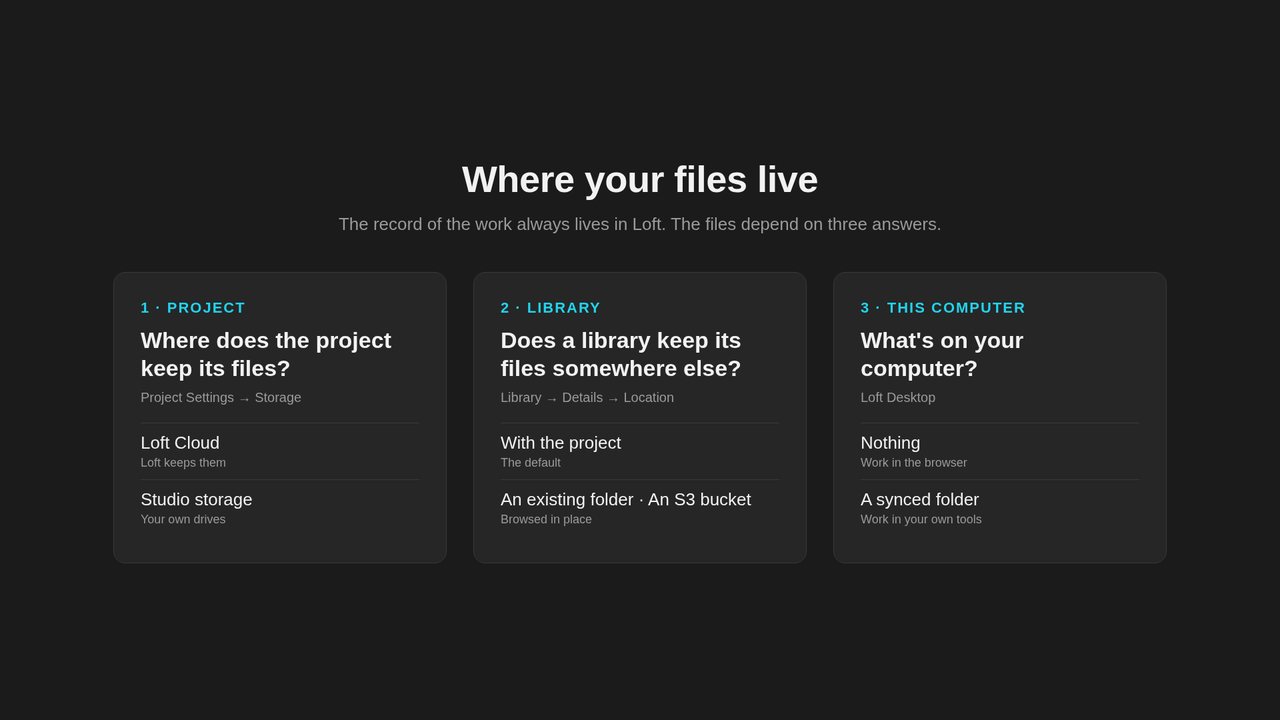
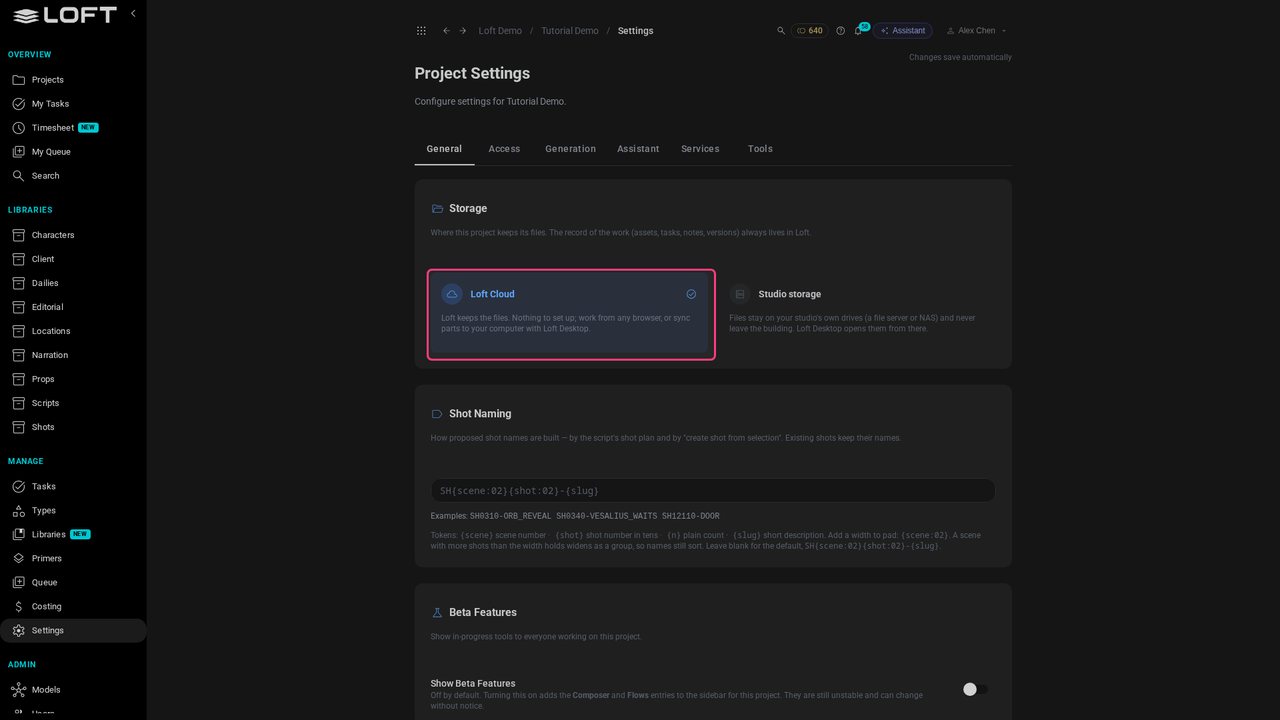
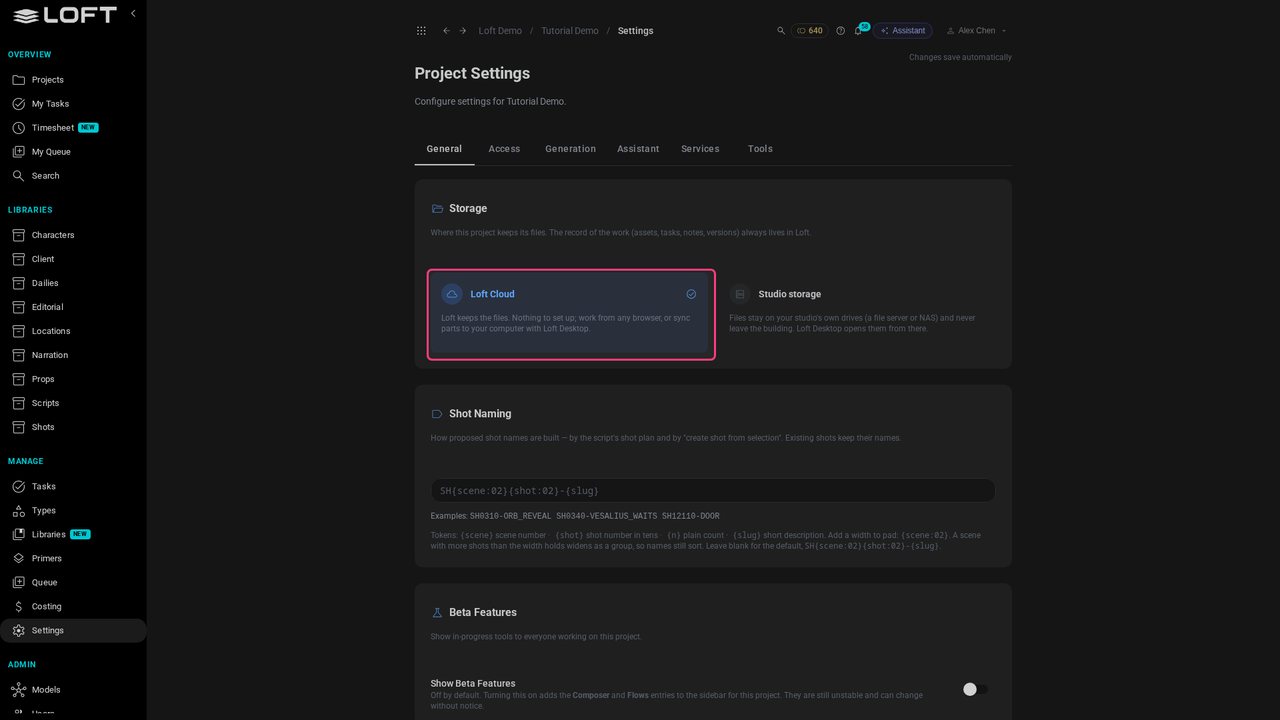
Storage is set once per project, in its settings. Loft Cloud is the default: Loft keeps the files, and there's nothing to set up. Work from any browser.
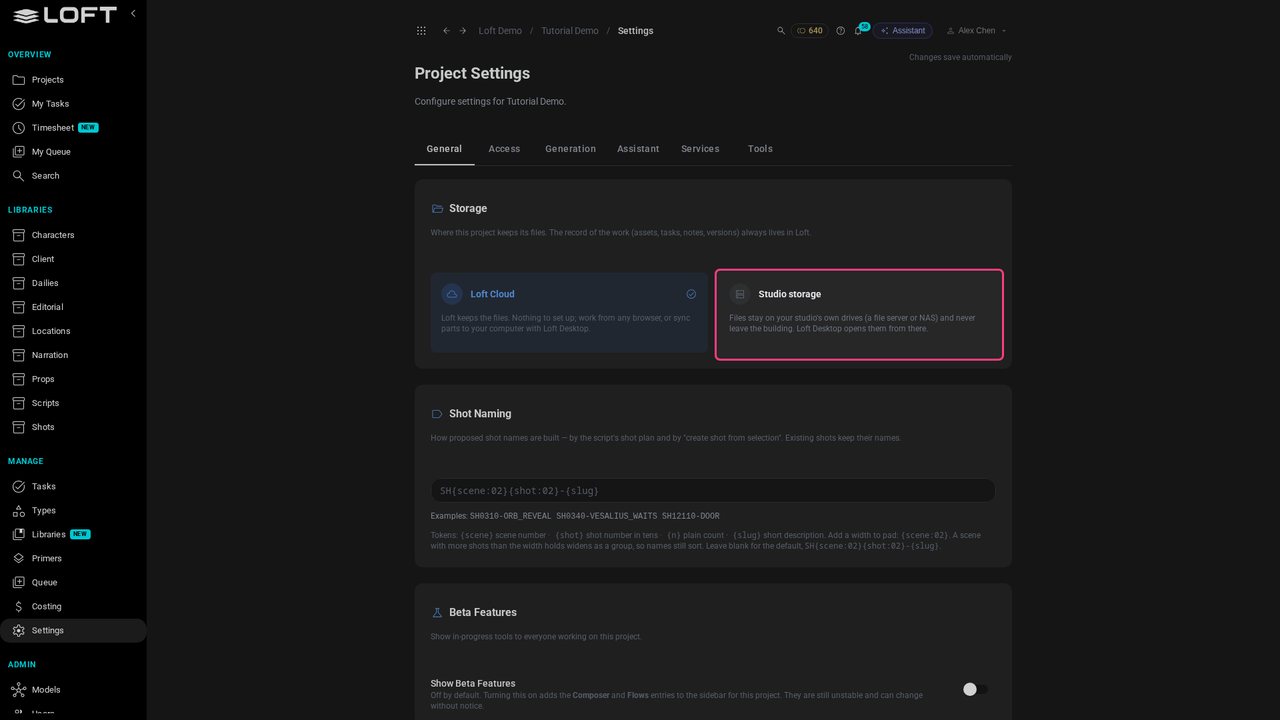
Studio storage keeps the files on your studio's own drives, a file server or NAS, and they never leave the building. Loft still tracks the work; it just never holds the files.
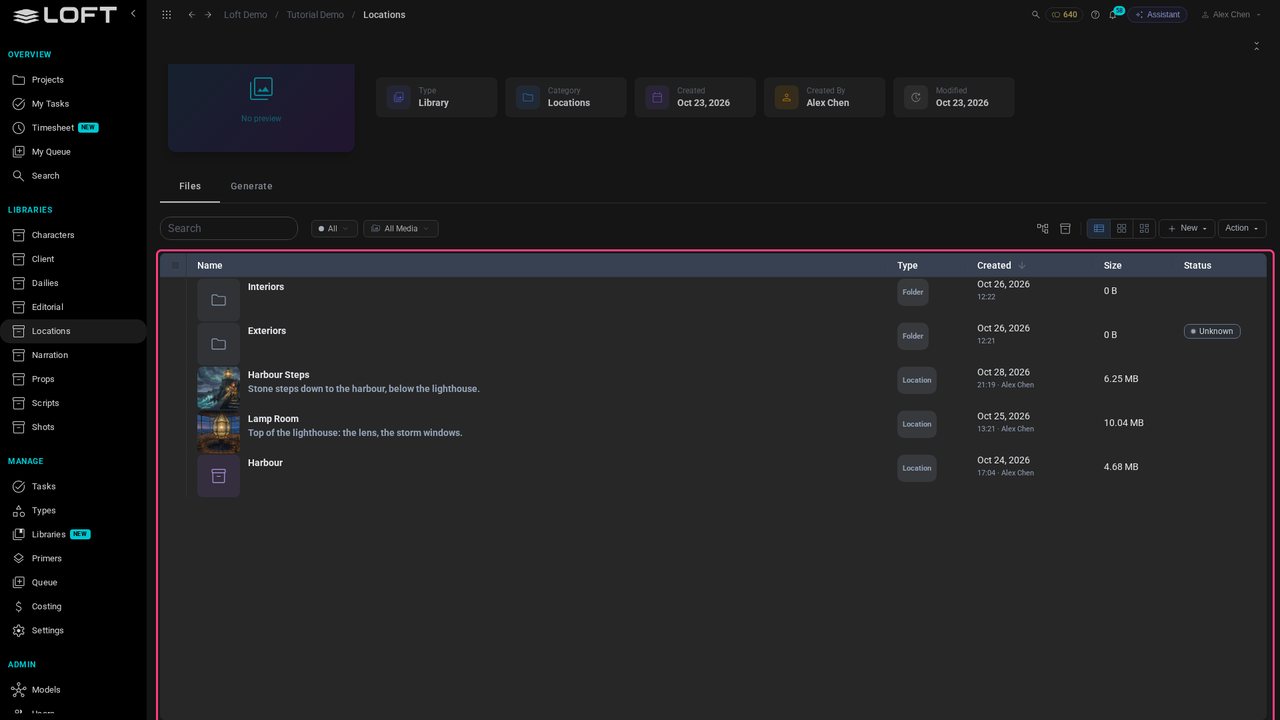
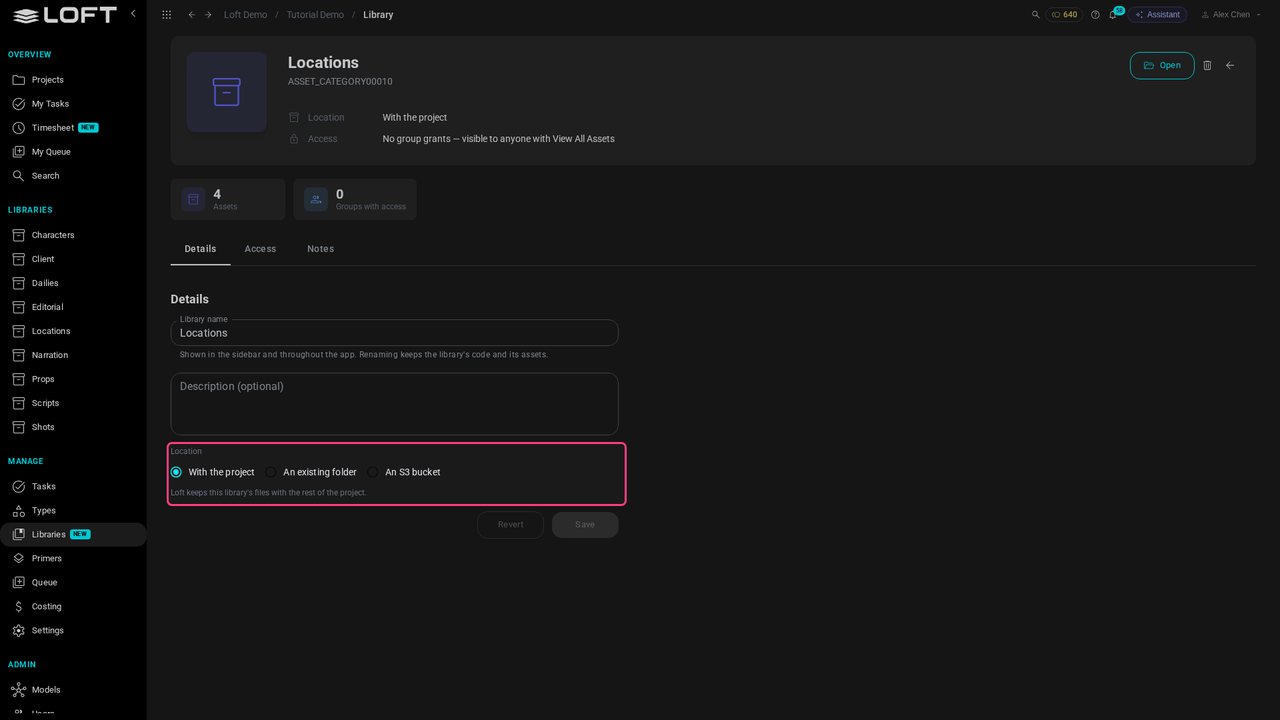
Most libraries keep their files with the project. A library's Location can point somewhere else instead: an existing folder, like the studio's stock library, or an S3 bucket, like the one a client delivers plates into. The rest of the project doesn't change.
To work in your own tools, like Photoshop, sync part of a Loft Cloud project to your computer with Loft Desktop: a whole project, one library, or a single asset. With Studio storage you don't need to: everyone already opens the files from the shared drive.
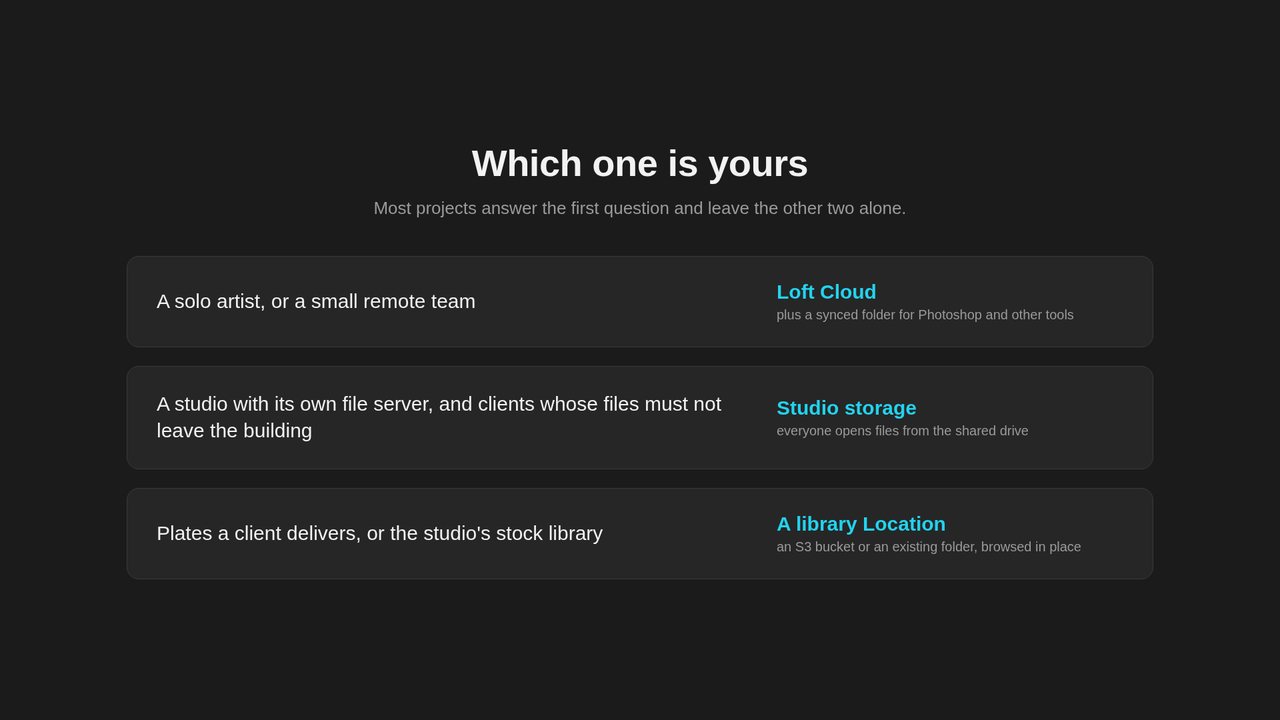
A solo artist or a small remote team: Loft Cloud, with a synced folder for the work you do in other tools. A studio with its own file server, working for clients whose files must not leave the building: Studio storage. Plates a client delivers, or the studio's stock library: a library Location.
Up next in What Loft is for
This tutorial follows one shot all the way through. An artist makes the shot in its sequence, links the character and location it needs, generates a keyframe from them and animates it with Kling 3.0. The director reviews it in dailies and asks for a change; the artist revises it, the director approves, and the published shot plays in the cut, between its neighbours.
In the playlists What Loft is for.