How Loft does it
Every file knows what it is
In Loft, a file is never just a file. It belongs to an asset, and the asset knows its type, its versions, what it's used in, where it stands and what it cost.
Structure
Projects start organised.
Pick a project type and the libraries are already there: Assets, Shots, Plates, References, Dailies. Each asset type brings its own fields. A shot has its frame range and handles. A character has its wardrobe. A product has its SKU and approved claims.
Versions
One answer to "which take?"
Takes go from New to Selected, Published and Approved. Publishing gives a take the next version number for its step, so the current version is always obvious and the earlier ones are kept.
Relationships
References, not copies.
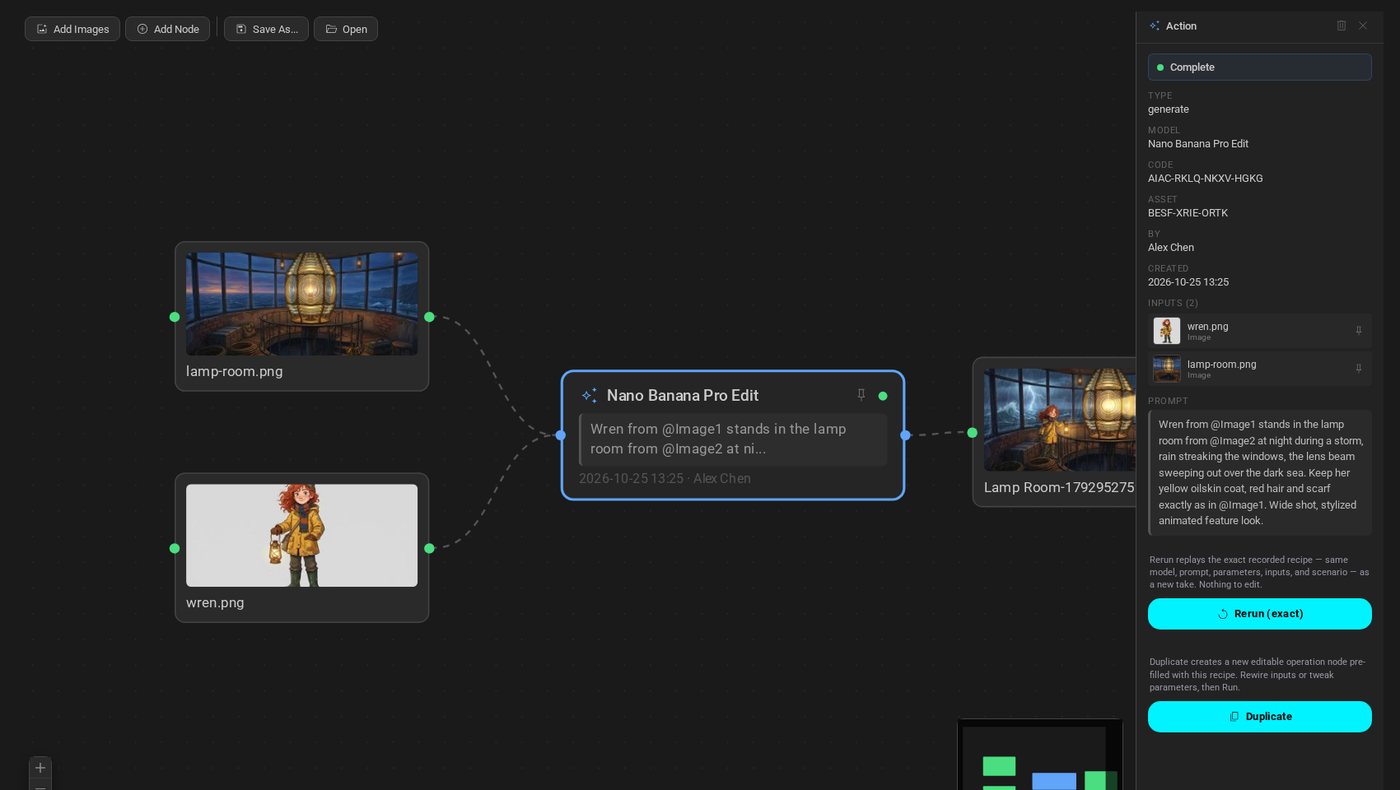
A shot points to the characters, props and plates it uses, so a change or a note on the original shows up everywhere it's used. Every derived take records what it was made from, and the flow graph shows the whole chain.
Status
The whole show on one grid.
Each asset type has its own pipeline steps, and they become tasks when the bid is published. The Status grid shows every shot by step, and you can change statuses, assignees and dates in bulk.
Provenance
Every file keeps its history.
Generations record the model, prompt, inputs, author and date. Uploads carry an origin and rights fields, filled in from the file's own metadata where it has any. When someone asks how a file was made, the answer is already there.
Review
Notes land on the take.
Takes go to Dailies. Reviewers pin notes to a frame and approve or send back. Clients see only the libraries you share with them.
Cost
Spend has an address.
Generation spend is recorded on the asset that used it and adds up through the library. Artists' hours are spread over the assets they worked on. Budgets per project, person or asset flag overspend, or block it.
Storage
Your files, where you need them.
Libraries live in Loft's cloud, in your own S3 or GCS bucket, or in an existing folder. Desktop sync works both ways and keeps both copies when there's a conflict. For local projects, an agent on your network moves and creates files.