Beta Not the live site. Pages in review Live site →
Loft

Learn/Plan and run a production

Manage Multi-Currency Crew Costs

Studios hire wherever the talent is, so a crew is paid in several currencies while the client pays in another. This tutorial gives a freelancer a rupee day rate, then reads the same project's resources and profit and loss in US dollars and in Canadian dollars, locks its exchange rates, and asks the Assistant for the margin.

Watch on YouTube →

Follow along

Step by step

STEP 01

A crew paid in four currencies

Northlight reports in US dollars, but Glasswing's crew are paid where they live: Tom in Vancouver in Canadian dollars, Lucia in Milan in euros, Ruth in London in pounds. Search Crew for Tom and open Tom Lindqvist.
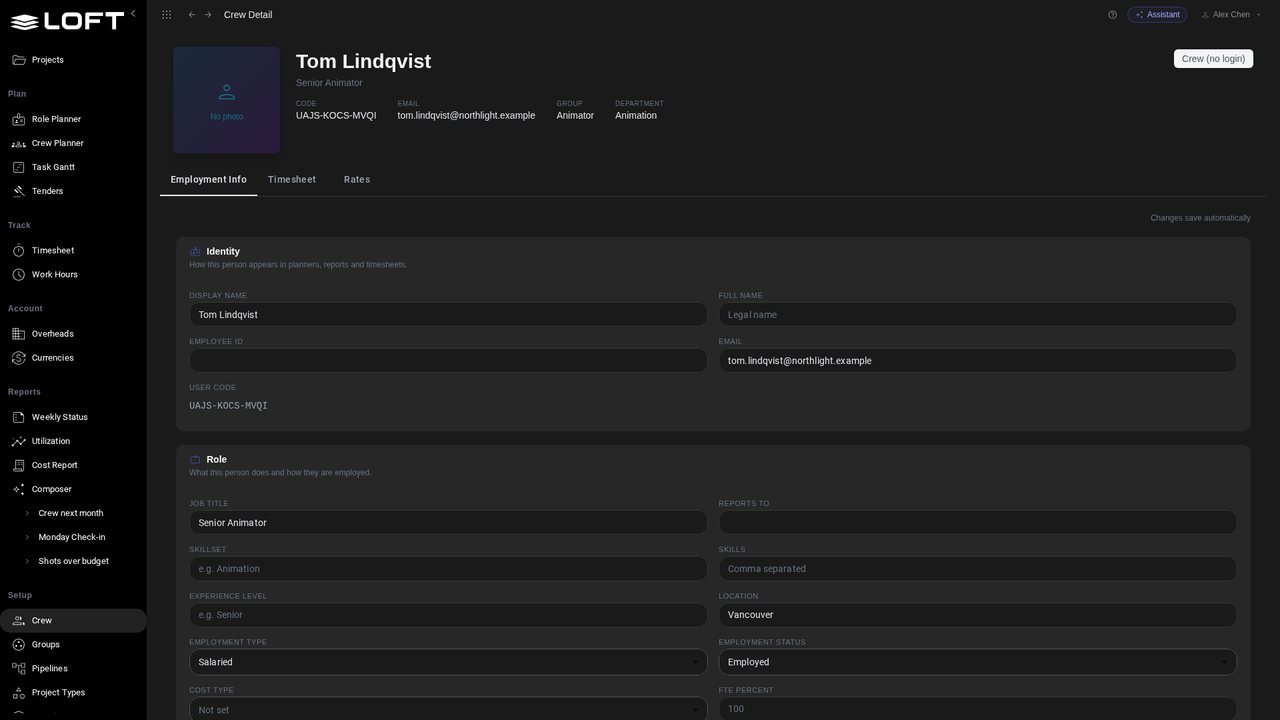
A crew paid in four currencies
STEP 02

Rates keep their own currency

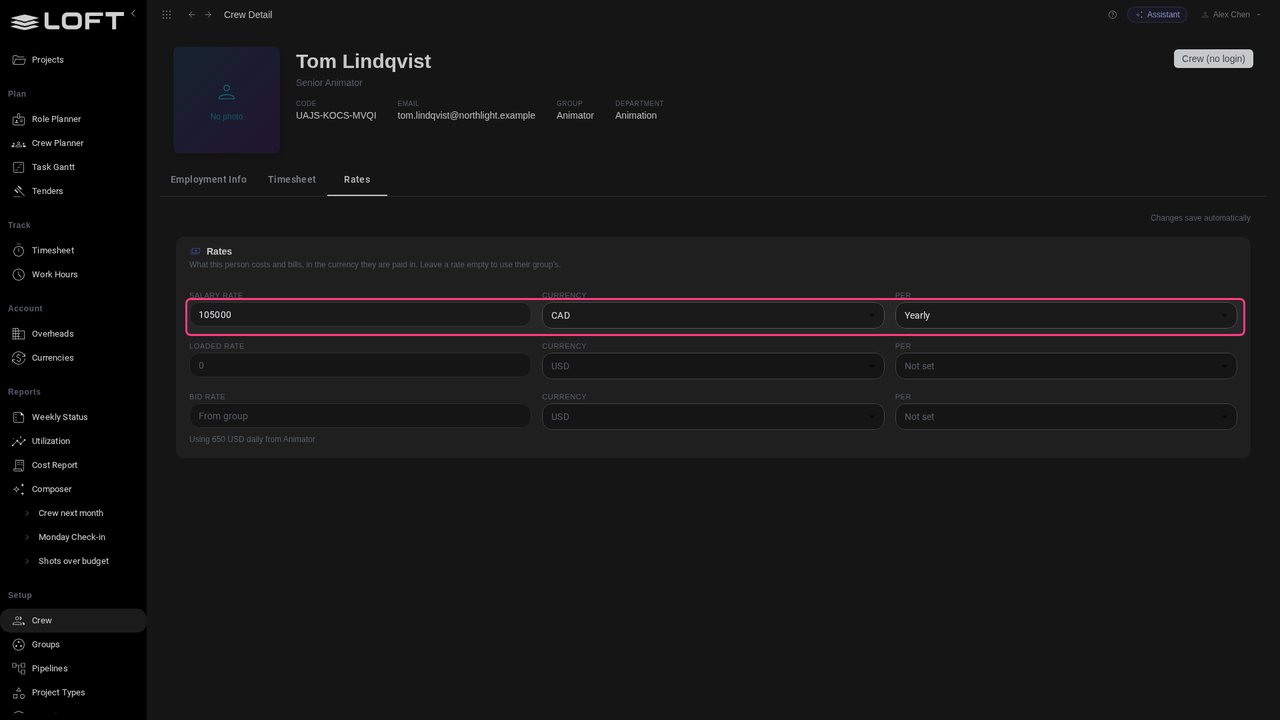
Click Rates. Tom's salary is entered as he is paid: 105,000 Canadian dollars a year. Nobody converts it by hand.

Rates keep their own currency
STEP 03

A freelancer in Mumbai

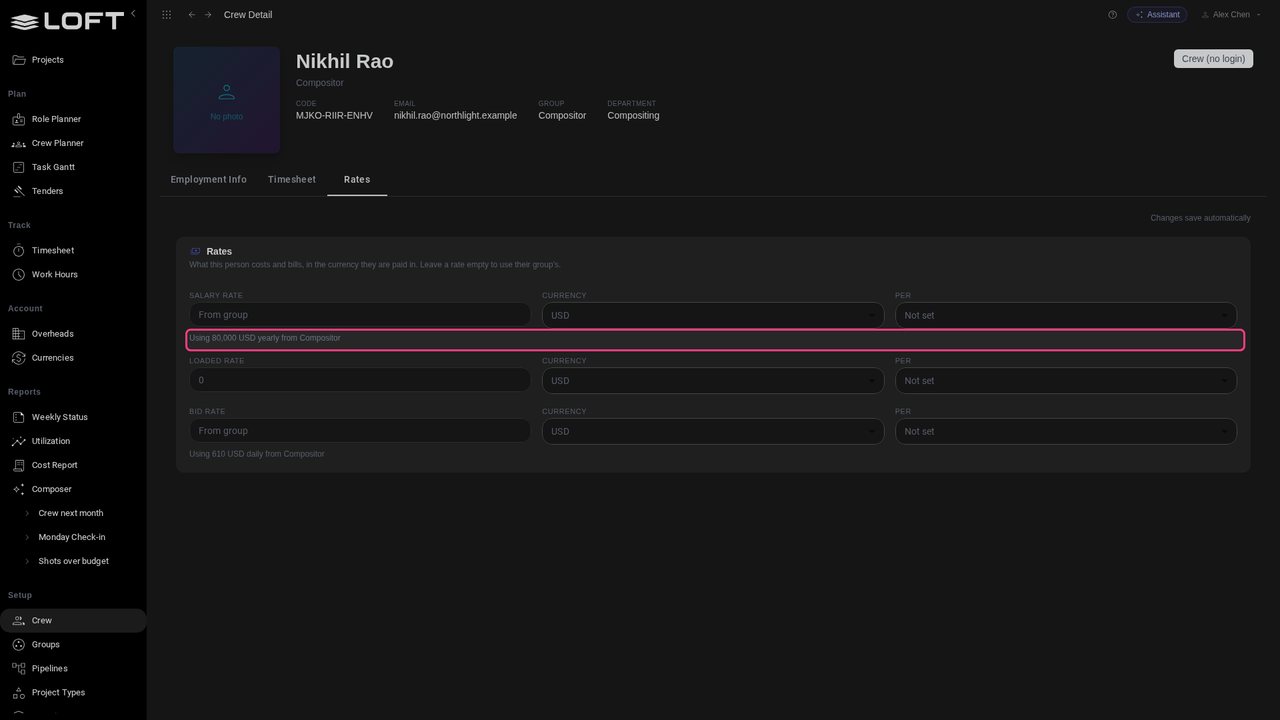
Back in Crew, open Nikhil Rao, Glasswing's compositor. He has no rate of his own yet, so planning uses his group's: 80,000 US dollars a year.

A freelancer in Mumbai
STEP 04

Type his day rate

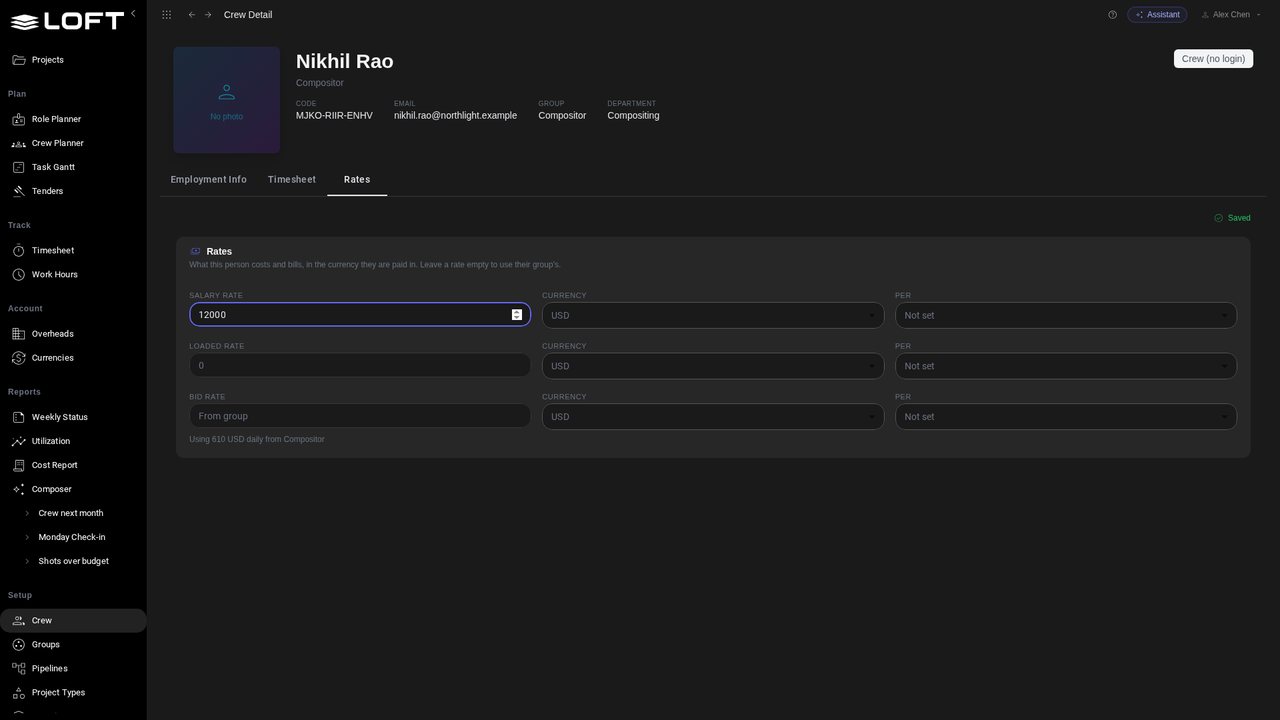
He freelances from Mumbai for a day rate in rupees. Type 12000 in Salary Rate.

Type his day rate
STEP 05

In rupees, by the day

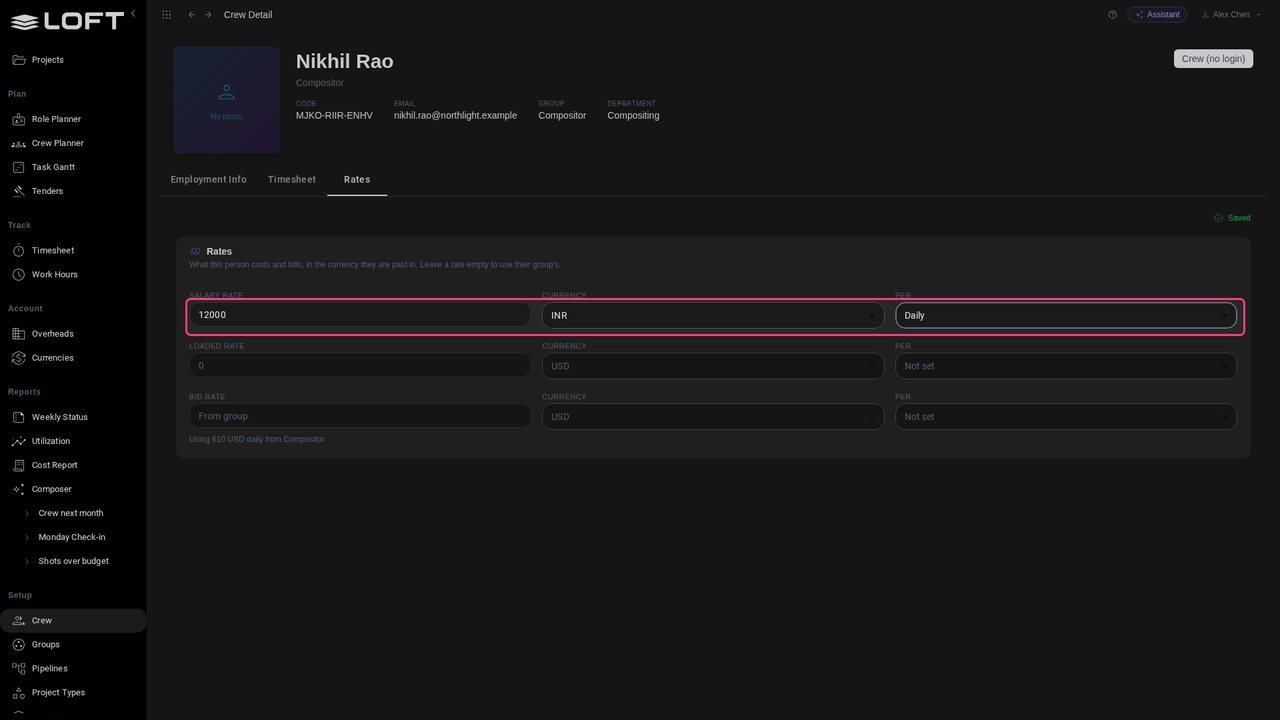
Set Currency to INR and Per to Daily. Changes save as you go.

In rupees, by the day
STEP 06

The studio's exchange rates

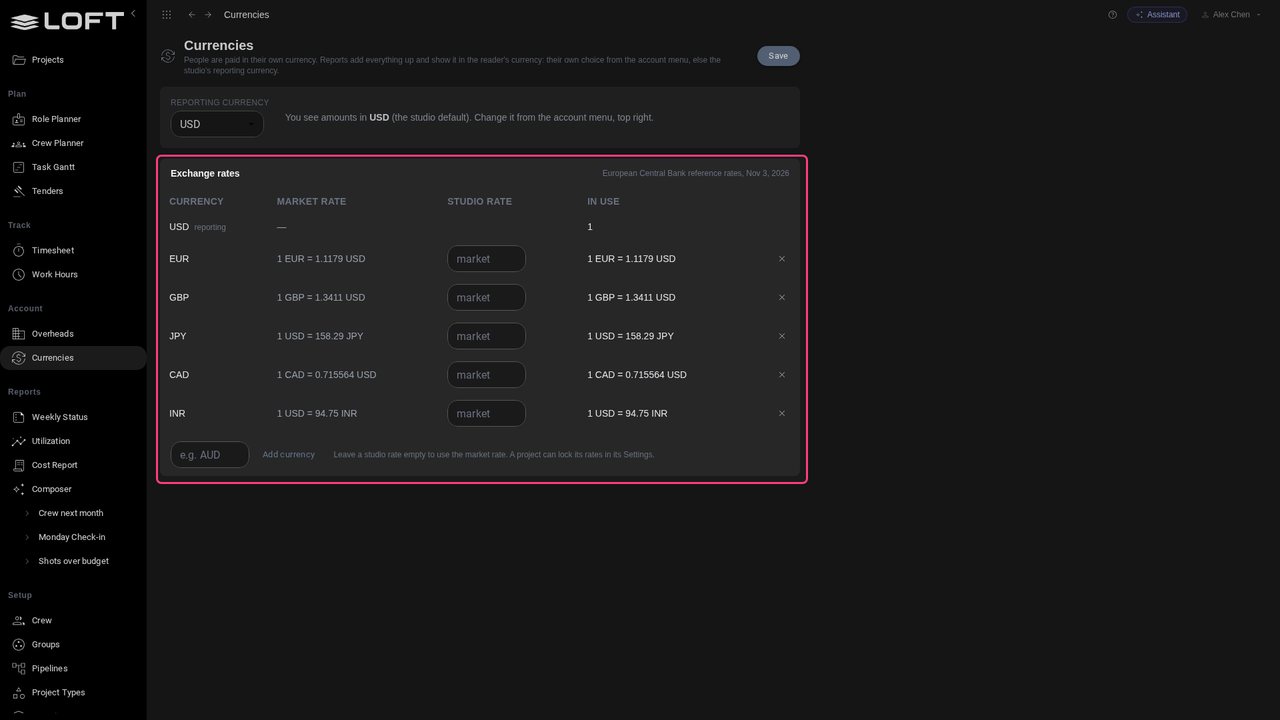
In the sidebar's Account group, open Currencies. Reports add everything up at the European Central Bank's daily rates. An admin can type the studio's own rate for any currency, and set the reporting currency.

The studio's exchange rates
STEP 07

Glasswing's resources, in dollars

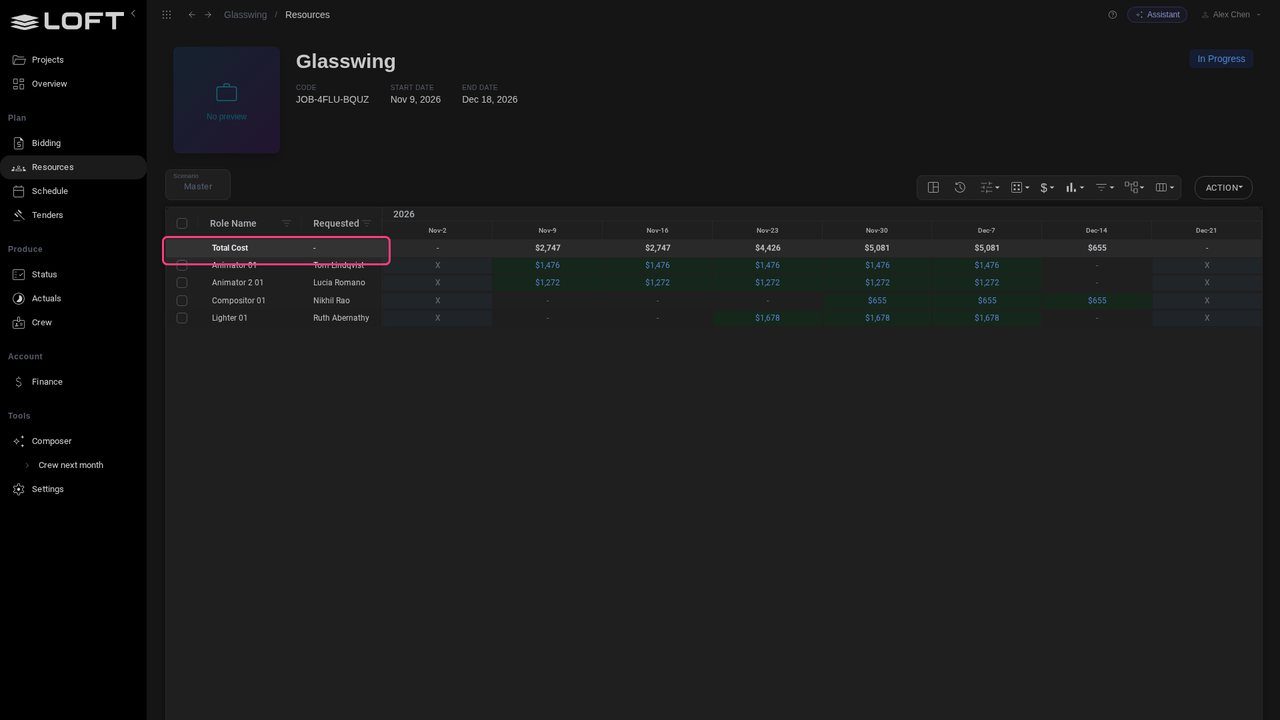
Open Glasswing, then Resources. In Display Options choose Cost: each person's weeks, priced from their own currency, in US dollars.

Glasswing's resources, in dollars
STEP 08

The P/L in dollars

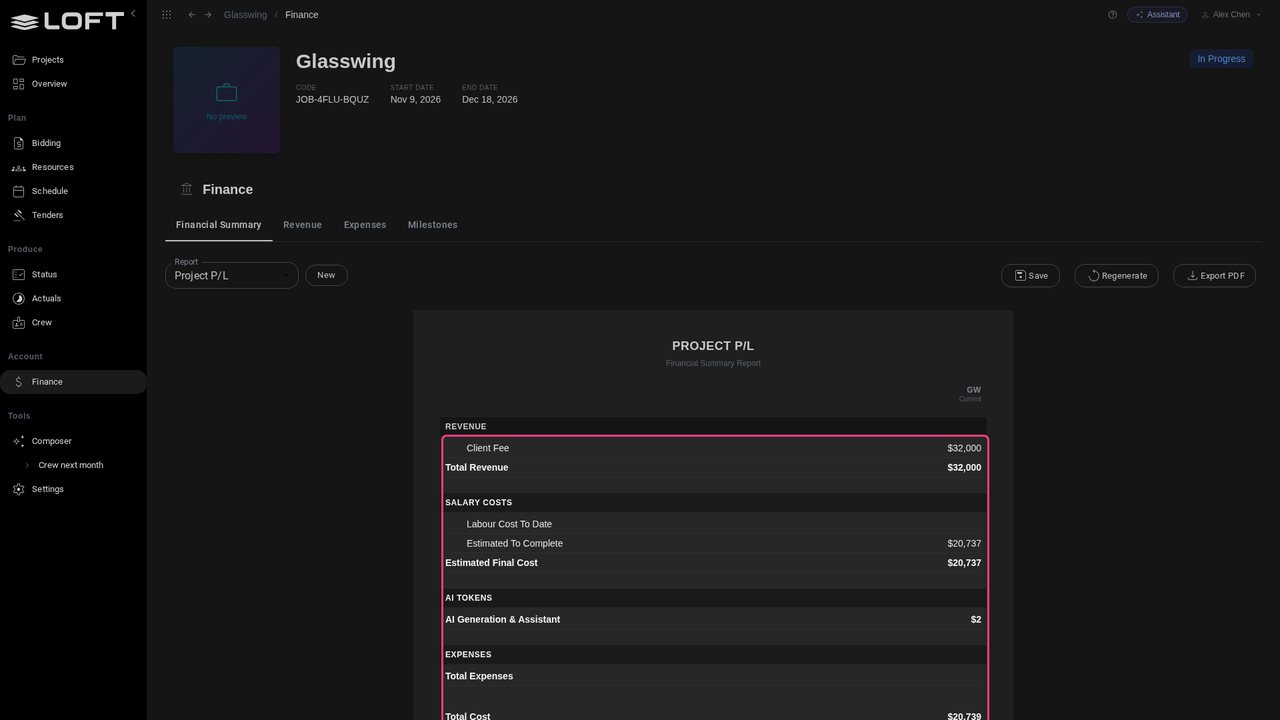
Open Finance. The client's fee is 32,000 US dollars; the crew costs $20,737 across the four currencies, a 35.2% margin.

The P/L in dollars
STEP 09

Read it in your currency

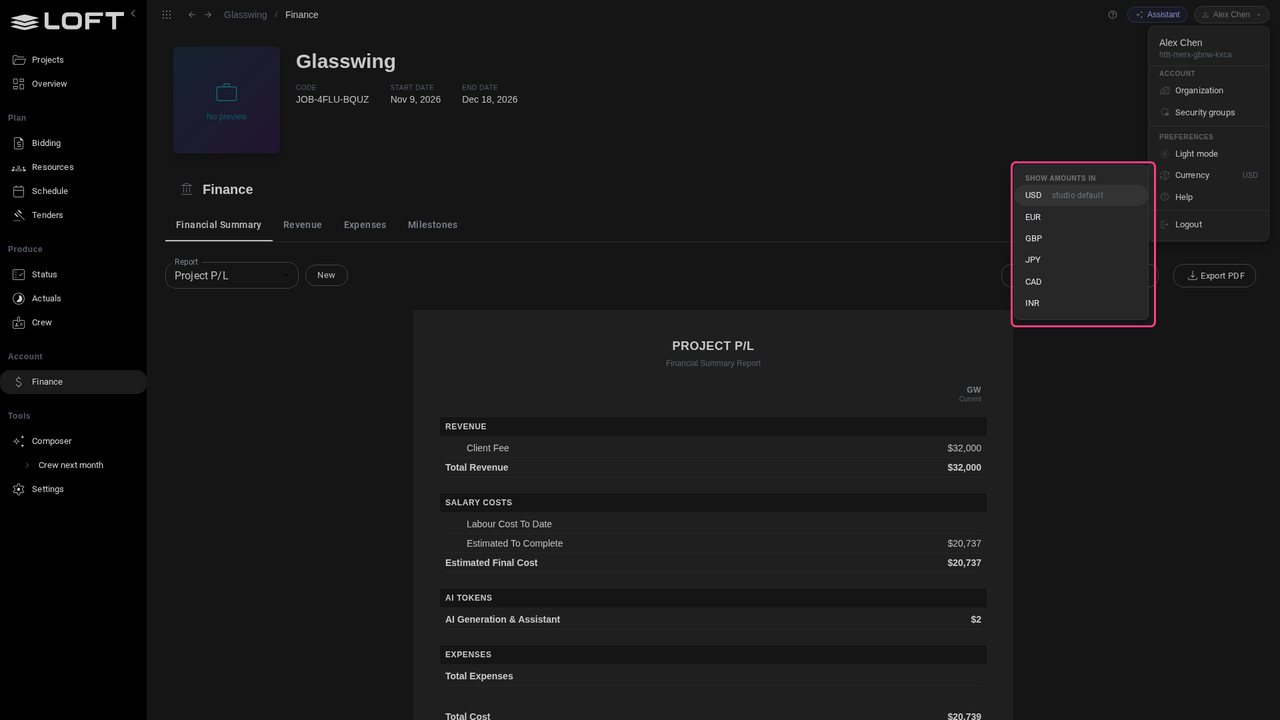
Alex runs the books from Vancouver. Open the account menu, top right, and Currency. The list is the studio's currencies; USD is the studio default.

Read it in your currency
STEP 10

The same P/L in Canadian dollars

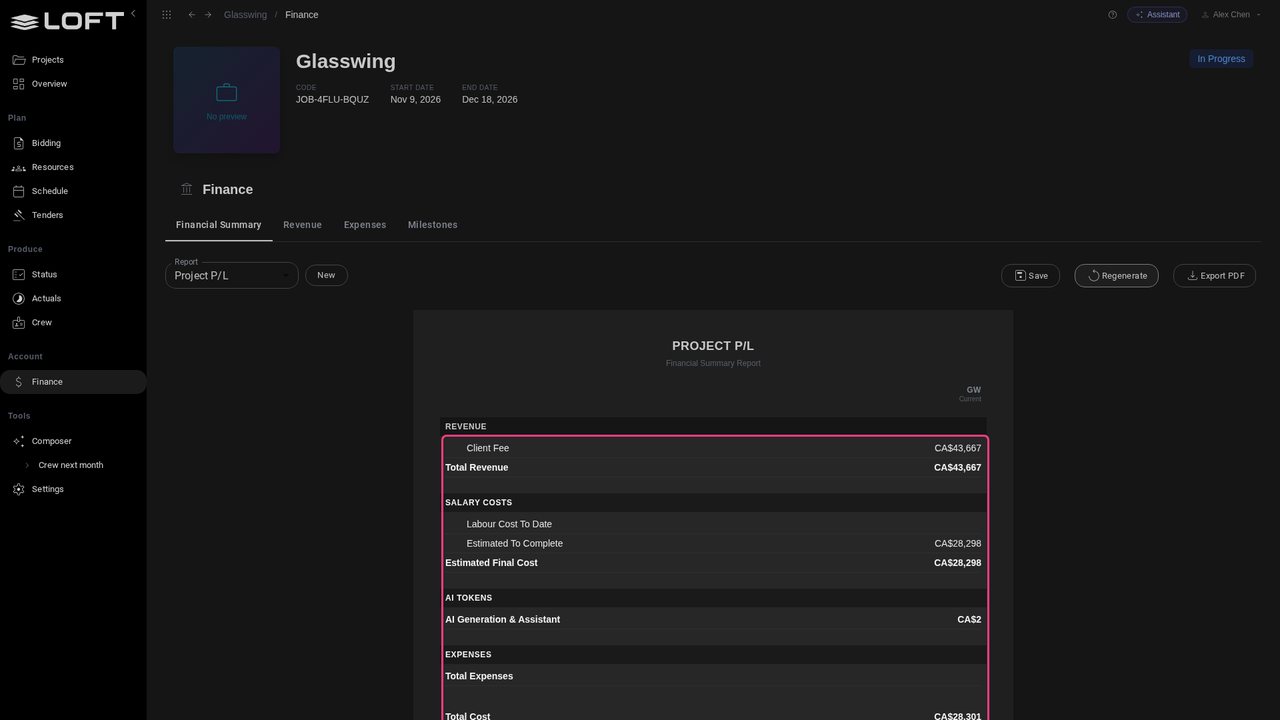
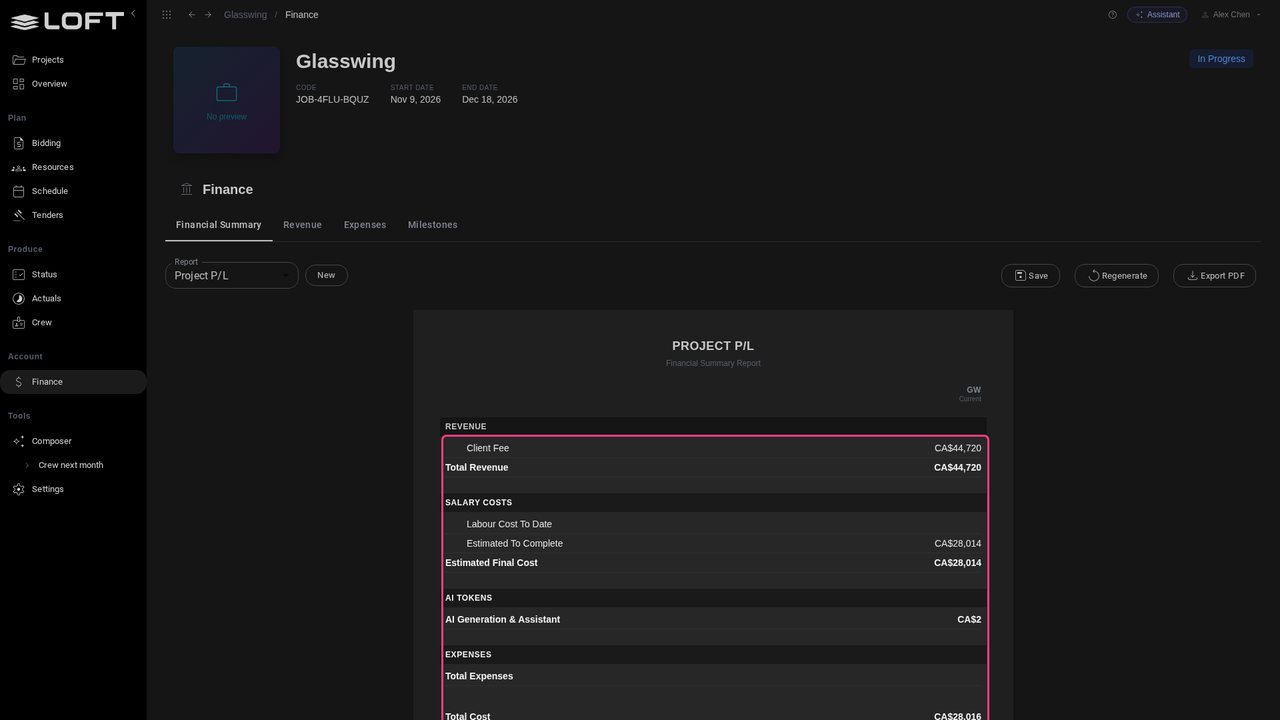
Pick CAD. Every amount is now in Canadian dollars: the fee is CA$43,667, labour CA$28,298. The margin is still 35.2%: only how it is shown changed.

The same P/L in Canadian dollars
STEP 11

Resources follow

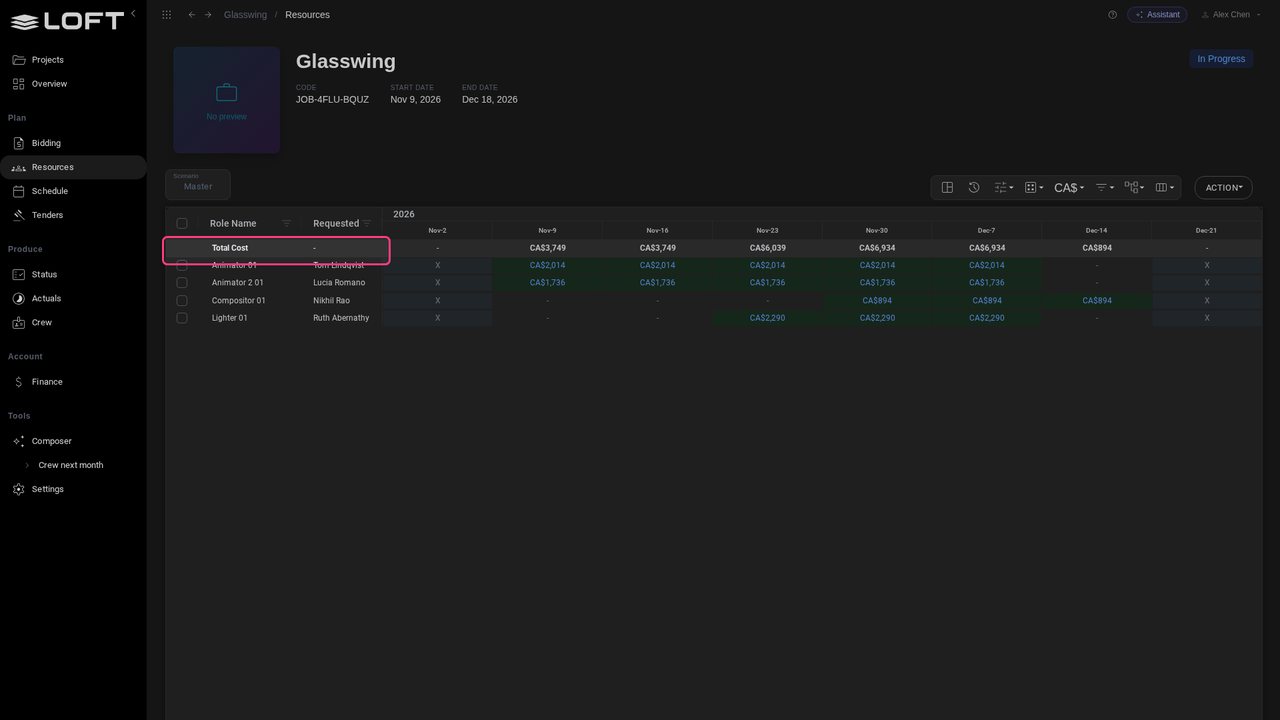
Back in Resources, the weekly costs are in Canadian dollars too. The choice is Alex's alone: everyone else at Northlight still sees US dollars.

Resources follow
STEP 12

Rates locked at the bid

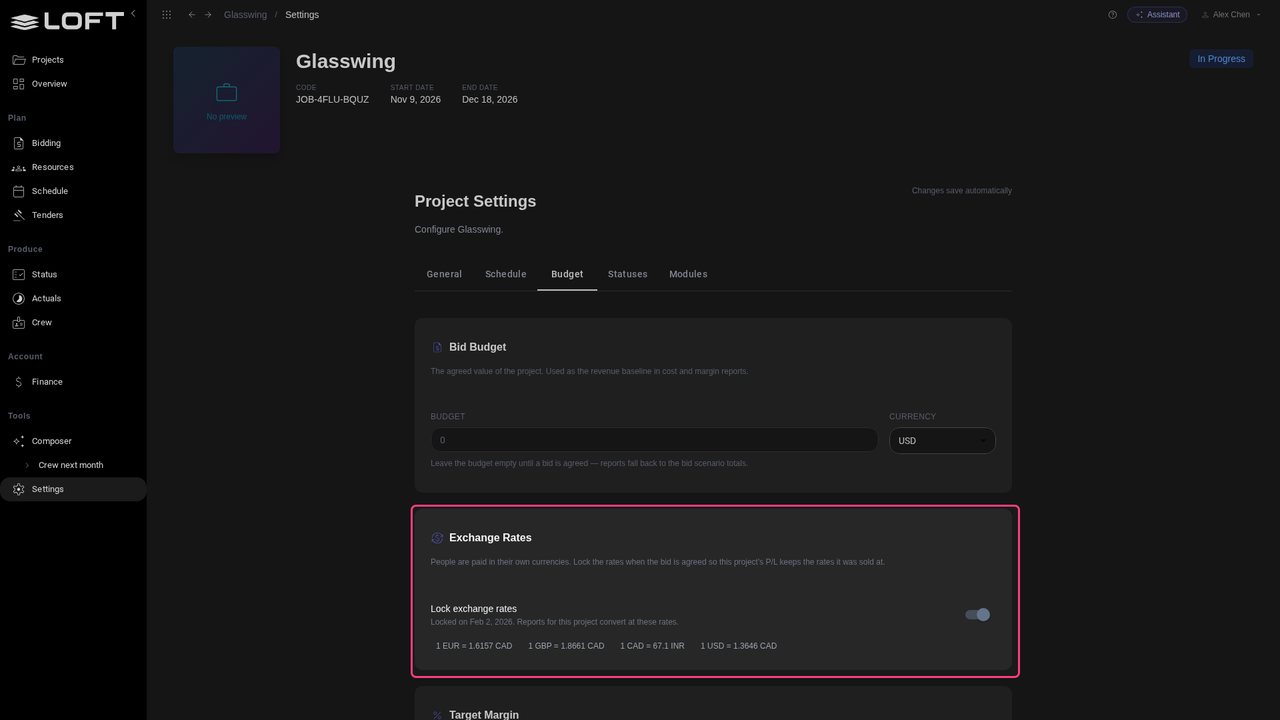
Open Settings, then Budget. Glasswing's exchange rates were locked when the bid was agreed in February, so its reports use the rates it was sold at.

Rates locked at the bid
STEP 13

What today's rates would do

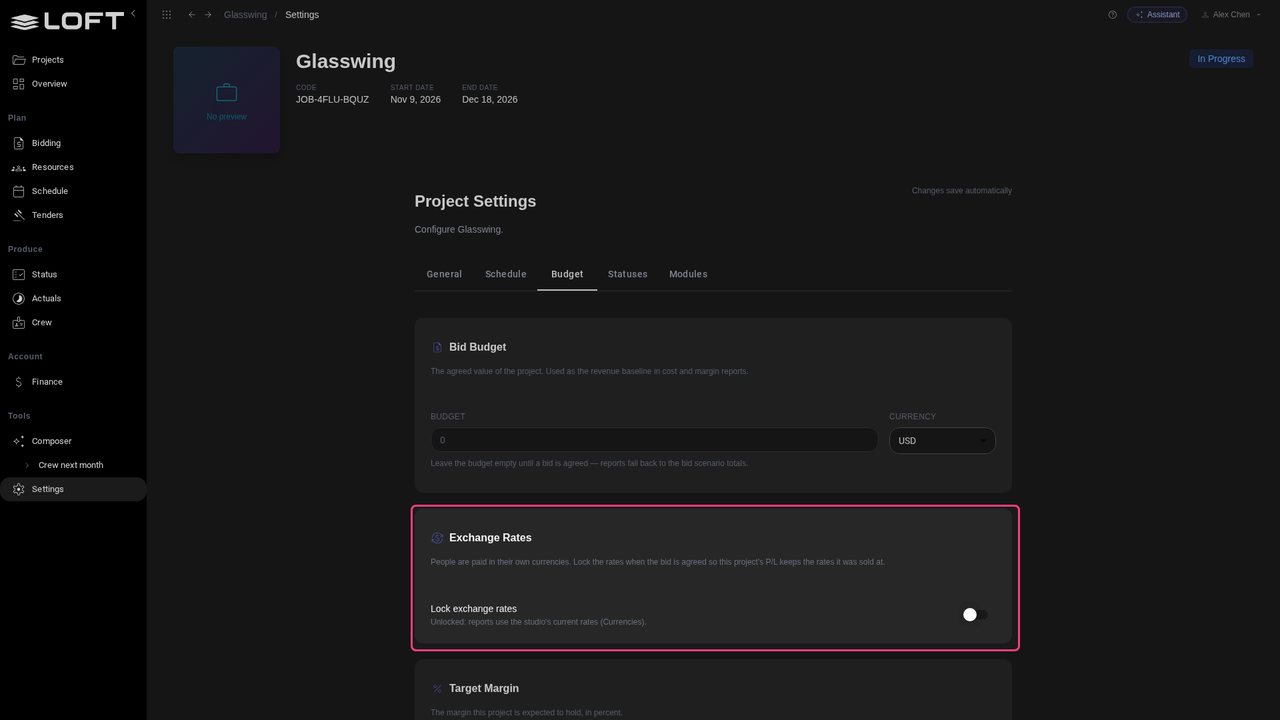
Turn Lock exchange rates off. The dollar has strengthened since February, so at today's rates the same crew costs less.

What today's rates would do
STEP 14

The margin moves with the market

Back in Finance, the margin is higher at today's rates. Lock the rates when a bid is agreed, and the P/L keeps the margin you sold; leave them unlocked to follow the market.

The margin moves with the market
STEP 15

Ask in your currency

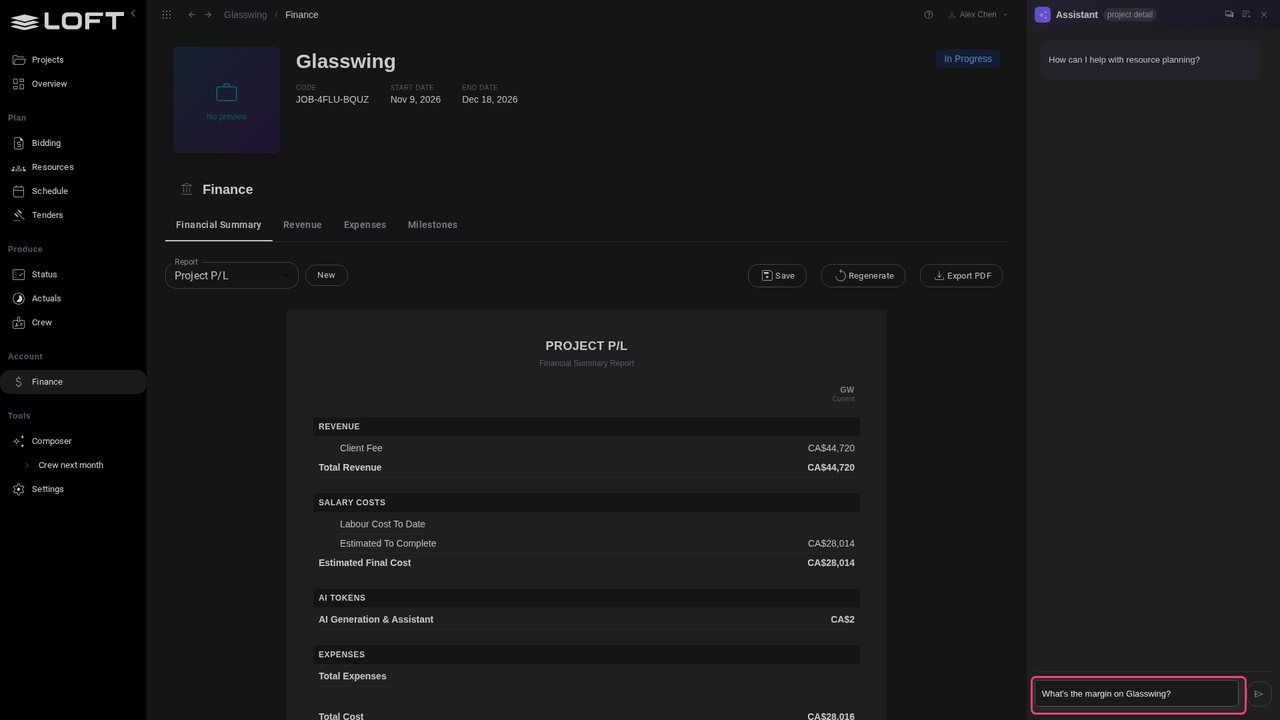
Open the Assistant, top right, and ask What's the margin on Glasswing?

Ask in your currency
STEP 16

The answer, in Canadian dollars

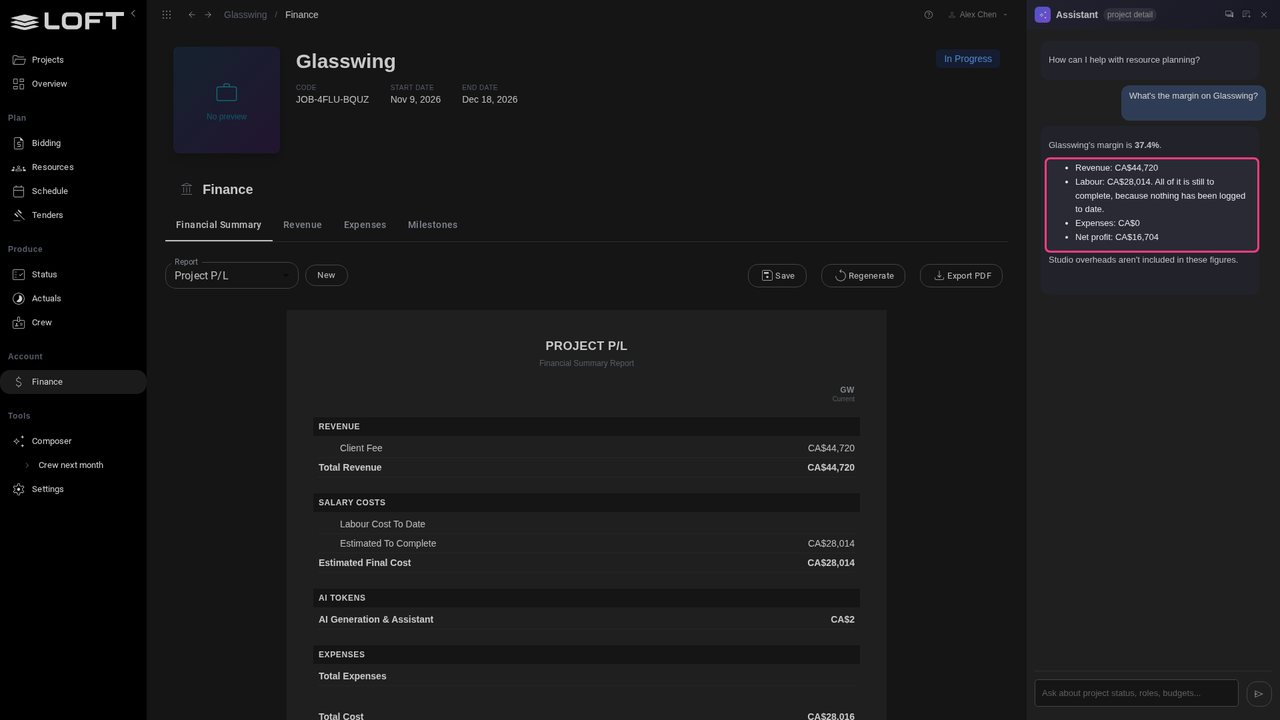
Send it. The Assistant answers in Canadian dollars, with the same figures as the P/L, because that is the currency Alex reads.

The answer, in Canadian dollars