
STEP 01
Open the shot
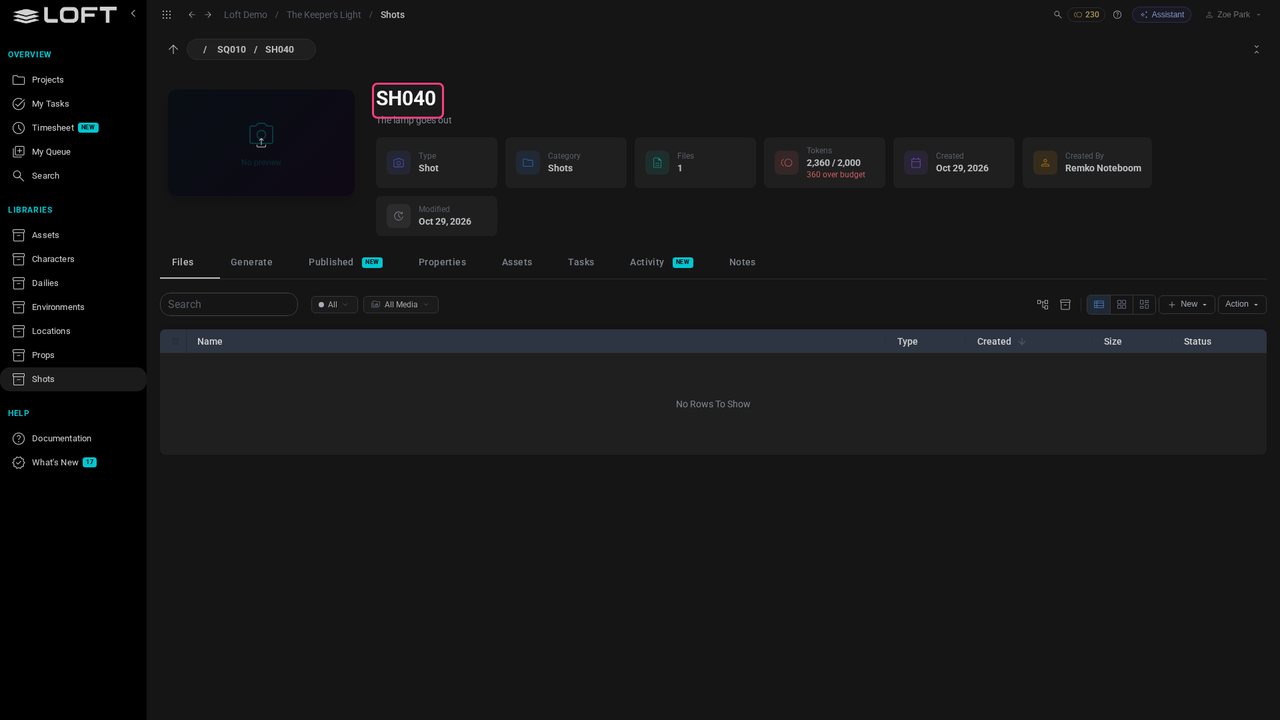
Zoe Park is a video artist on The Keeper's Light. She opens SH040, the shot she is working on, from the Shots library. There is no timer to start: Loft notes which shot she has open.
Learn/Plan and run a production
An artist's day becomes hours on a timesheet, the hours land on shots and on the roles that planned them, and the plan fills in the weeks still to come. This tutorial follows a video artist's week on The Keeper's Light from the shot she has open to the project's Estimated Final Cost.
Follow along
Zoe Park is a video artist on The Keeper's Light. She opens SH040, the shot she is working on, from the Shots library. There is no timer to start: Loft notes which shot she has open.
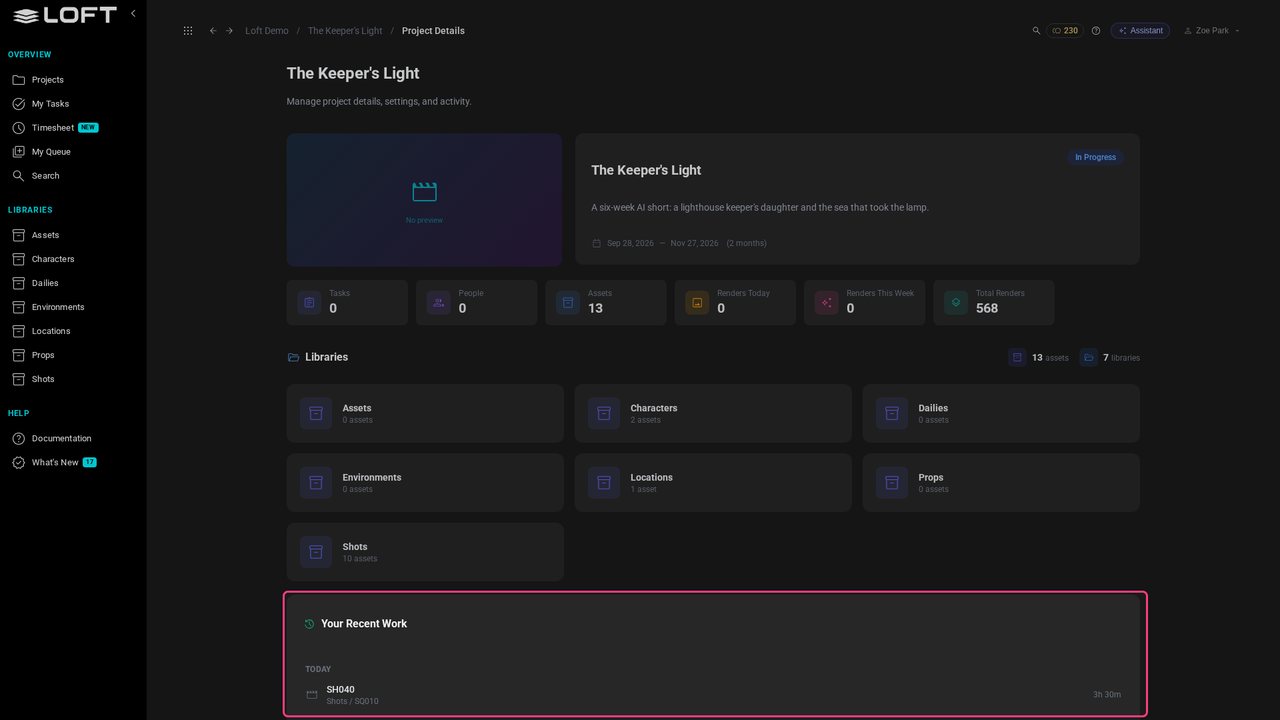
Click the project's name at the top. Your Recent Work lists the shots she had open each day, and for how long. Opening, generating and uploading all move it to the shot she is on; only Zoe sees her own list.
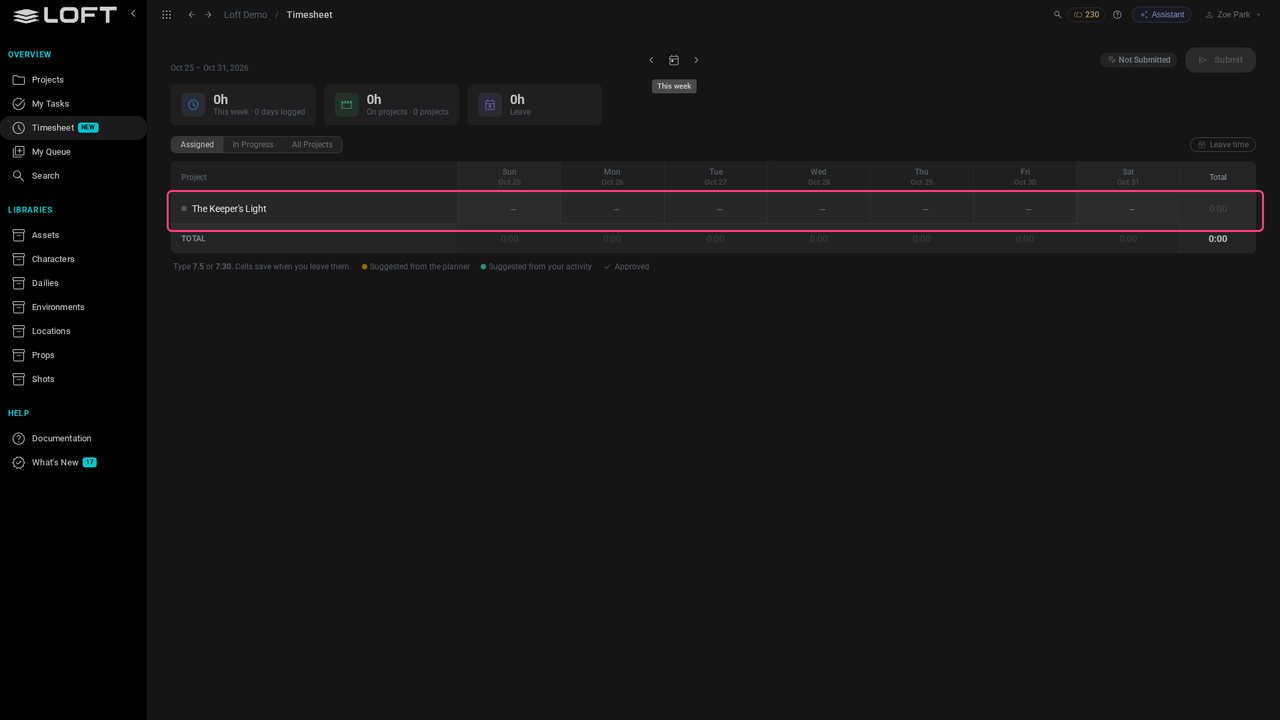
In the sidebar, click Timesheet. The week is already filled in, in green: hours suggested from her activity in this project, a workday at most. She types over any day that is wrong.
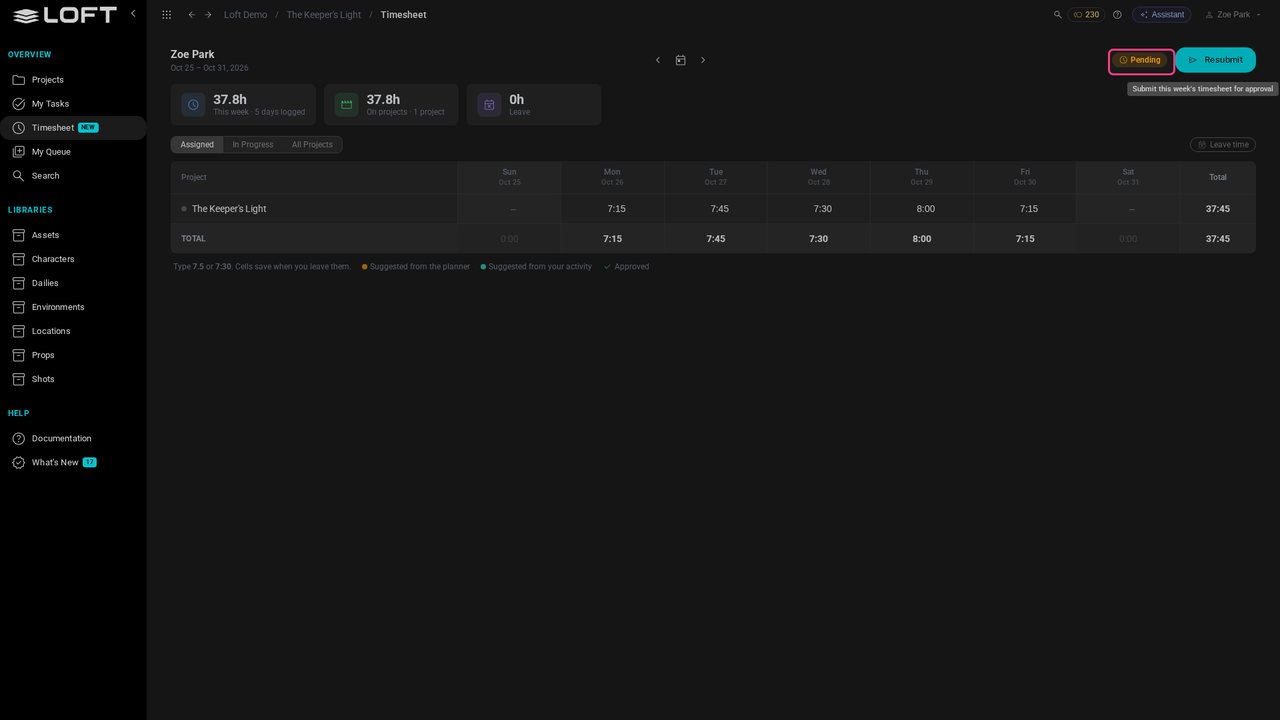
Click Submit. The suggestions become her hours for the week, pending until a producer approves them in Work Hours.
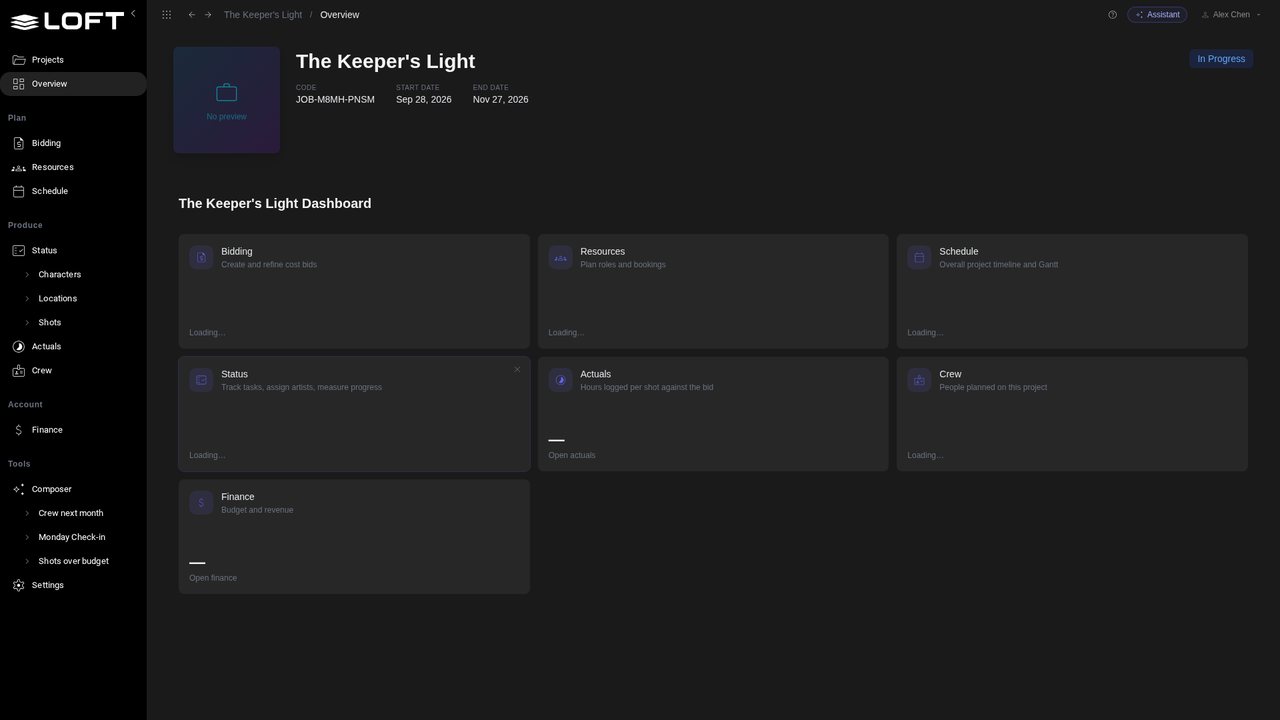
Now as Alex, the producer. Open The Keeper's Light from the Projects page.
Under Produce, click Actuals. Each logged day is split across the shots its artist had open that day, in proportion to the time on each, and set against the bid. No one's name appears: this is shots, not people.
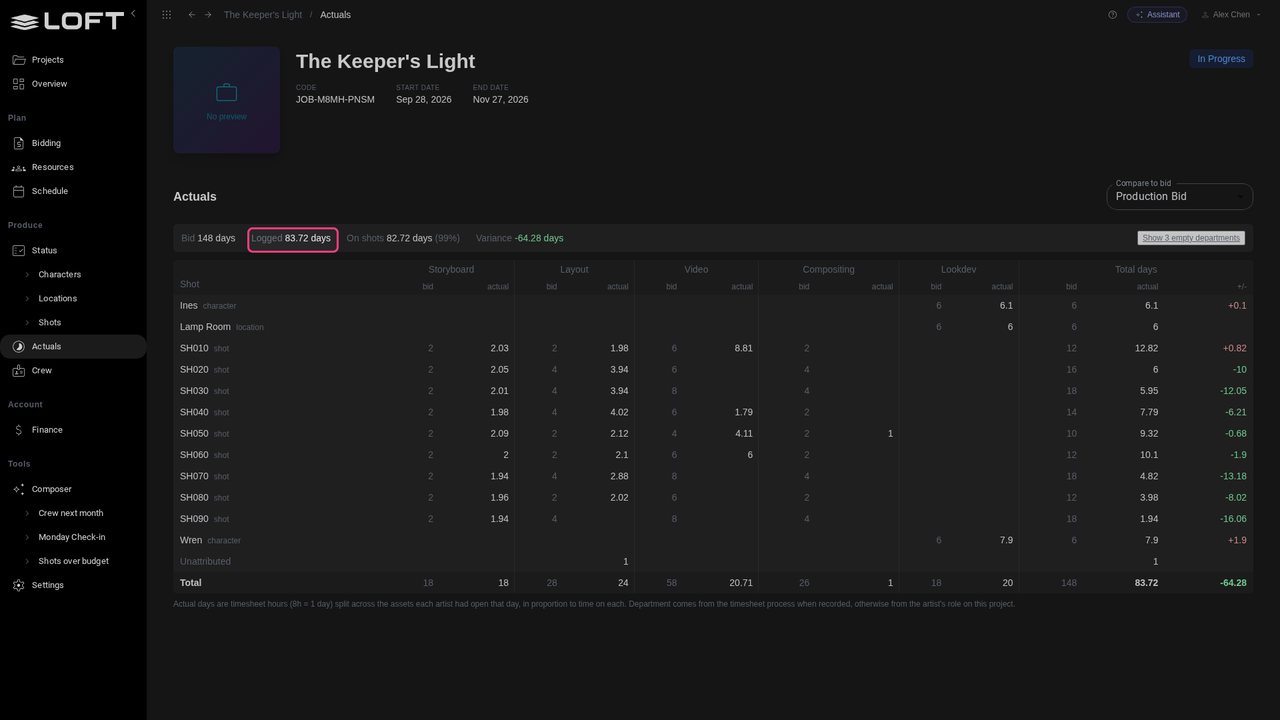
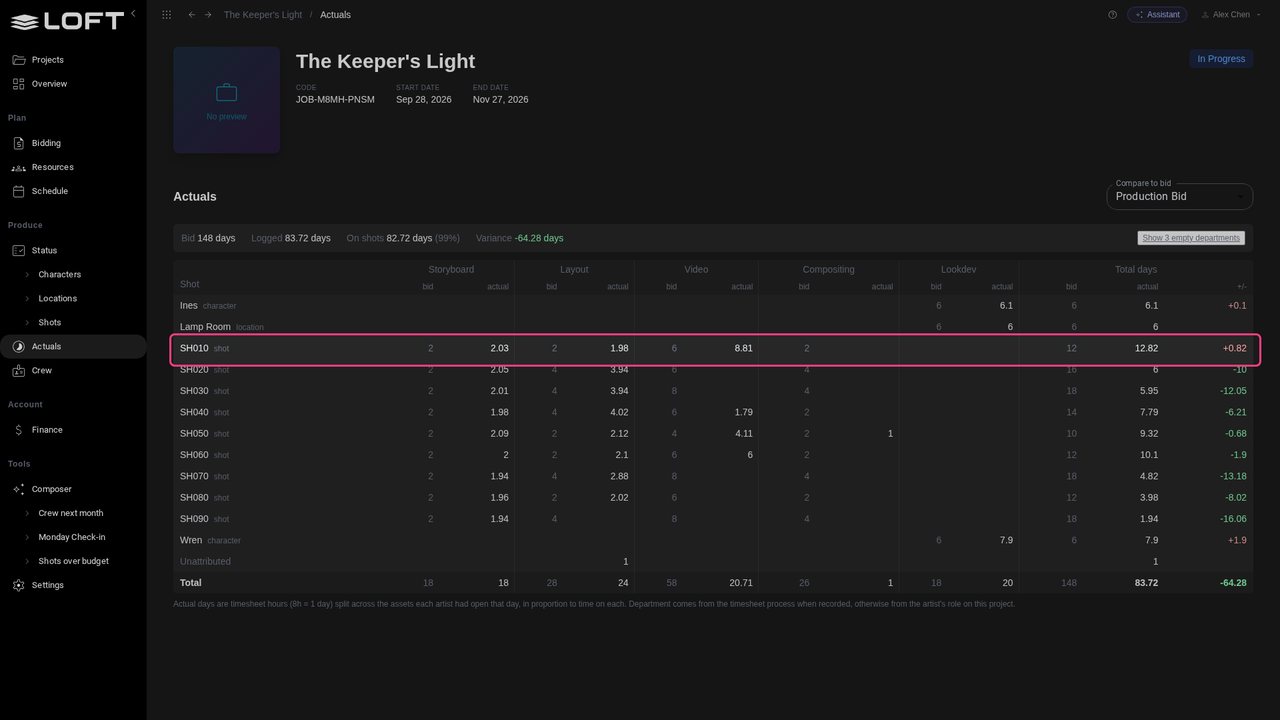
Zoe's week is in. SH010's video was bid at six days and took more than eight. Wren's lookdev ran over too, back in the show's second week.
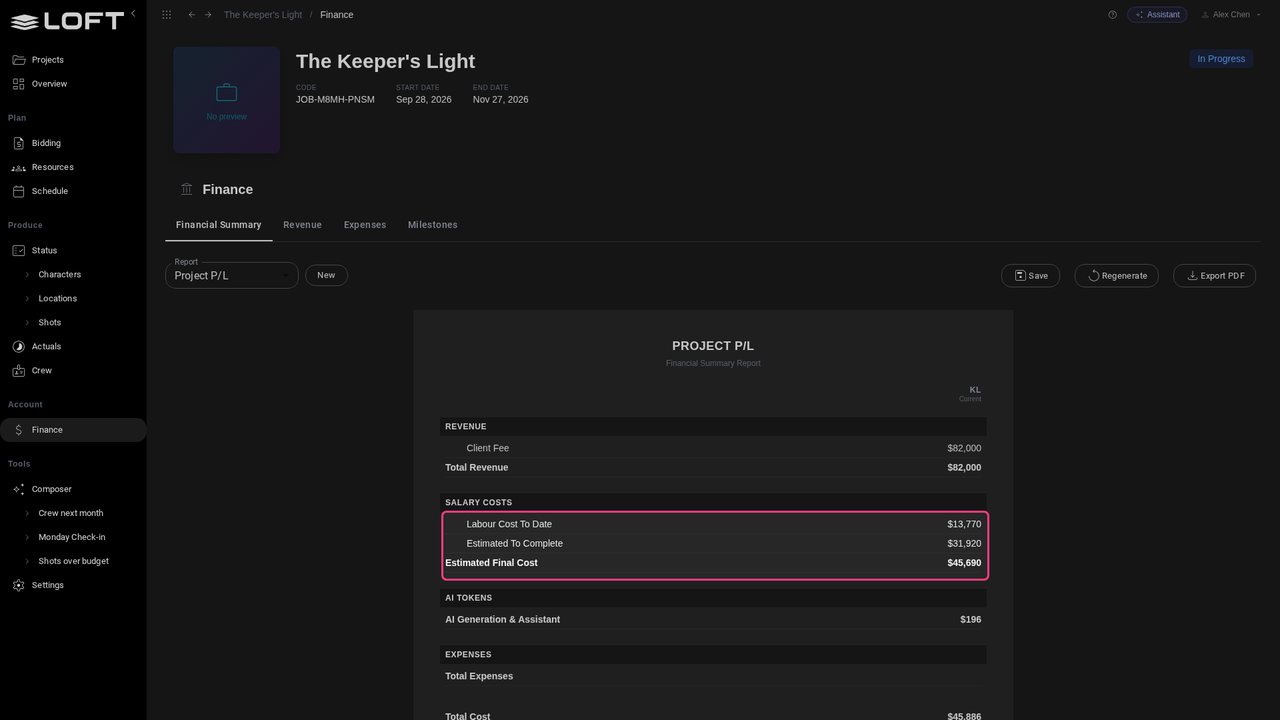
Under Account, click Finance. The Project P/L's labour is the Estimated Final Cost, $45,690: $13,770 already spent, from timesheets, and $31,920 still to spend, from the plan. Against the client's fee of $82,000, a 44% margin.
Click Resources. The roles the bid planned, week by week. Video 01 is Zoe's.
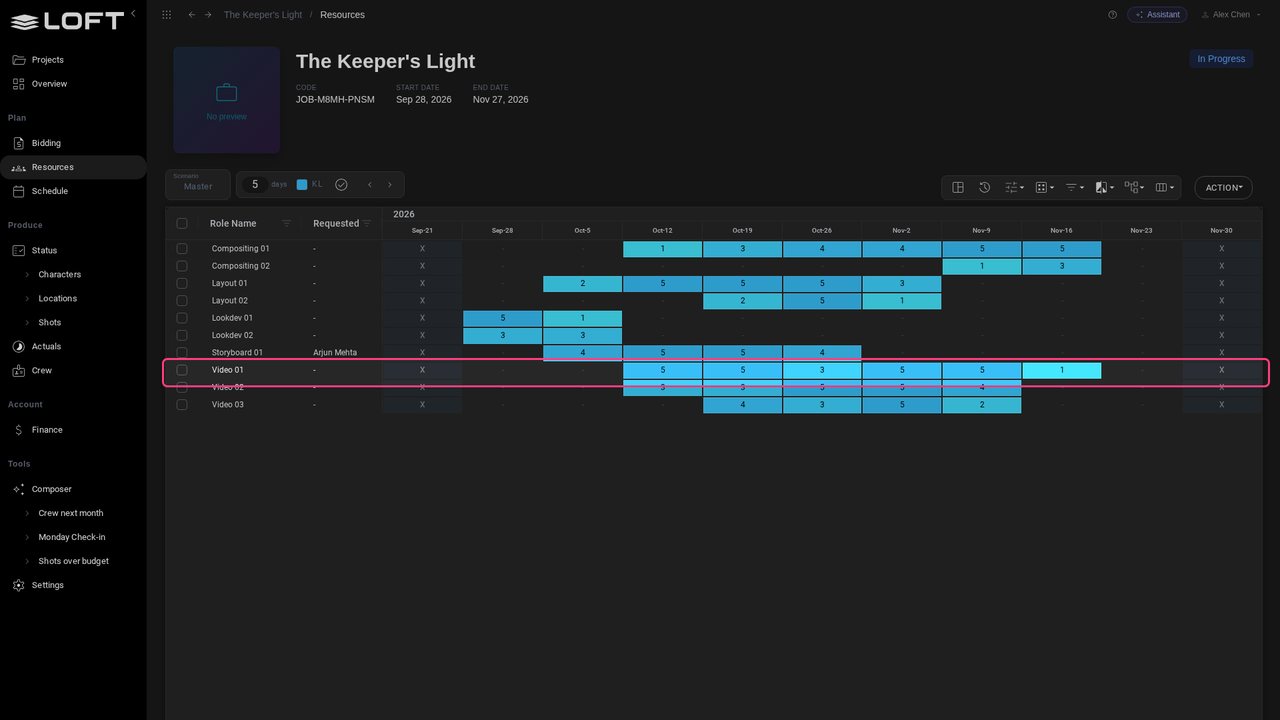
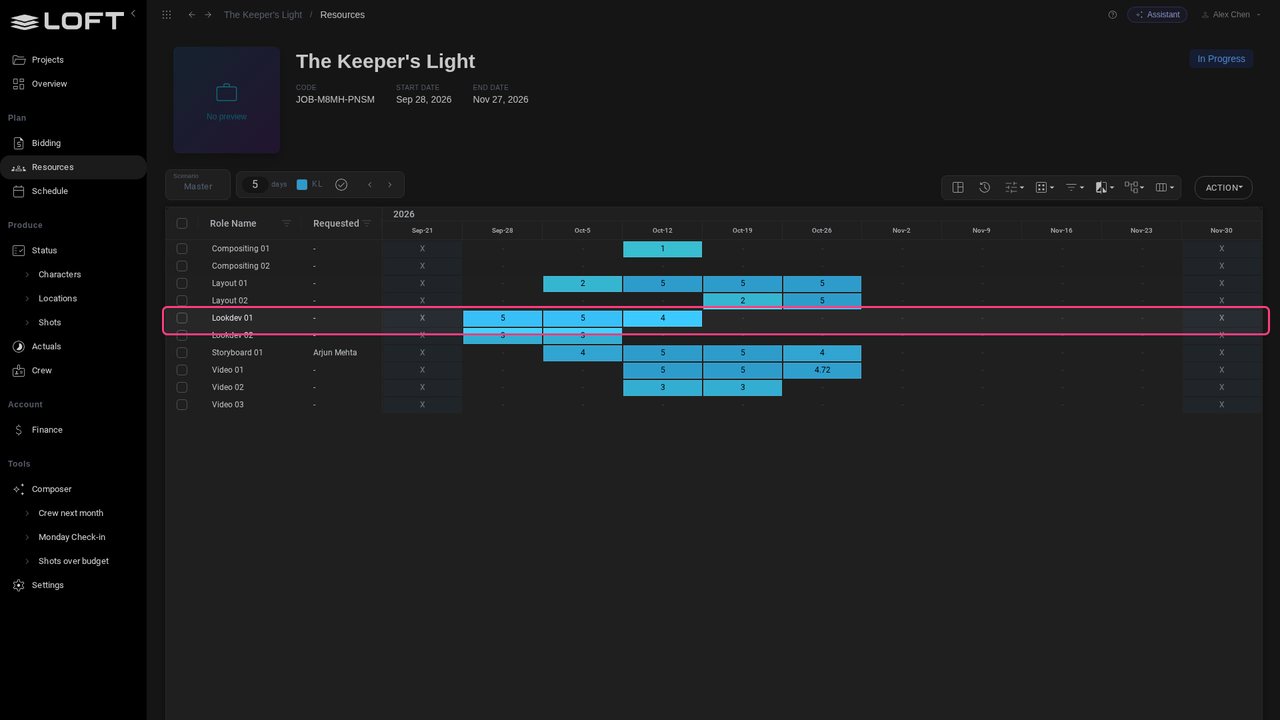
Open Data Source and choose Reported: the same roles, now with the days people logged. Lookdev took more days than planned. The last two weeks are patchy: not everyone has sent their timesheet yet.
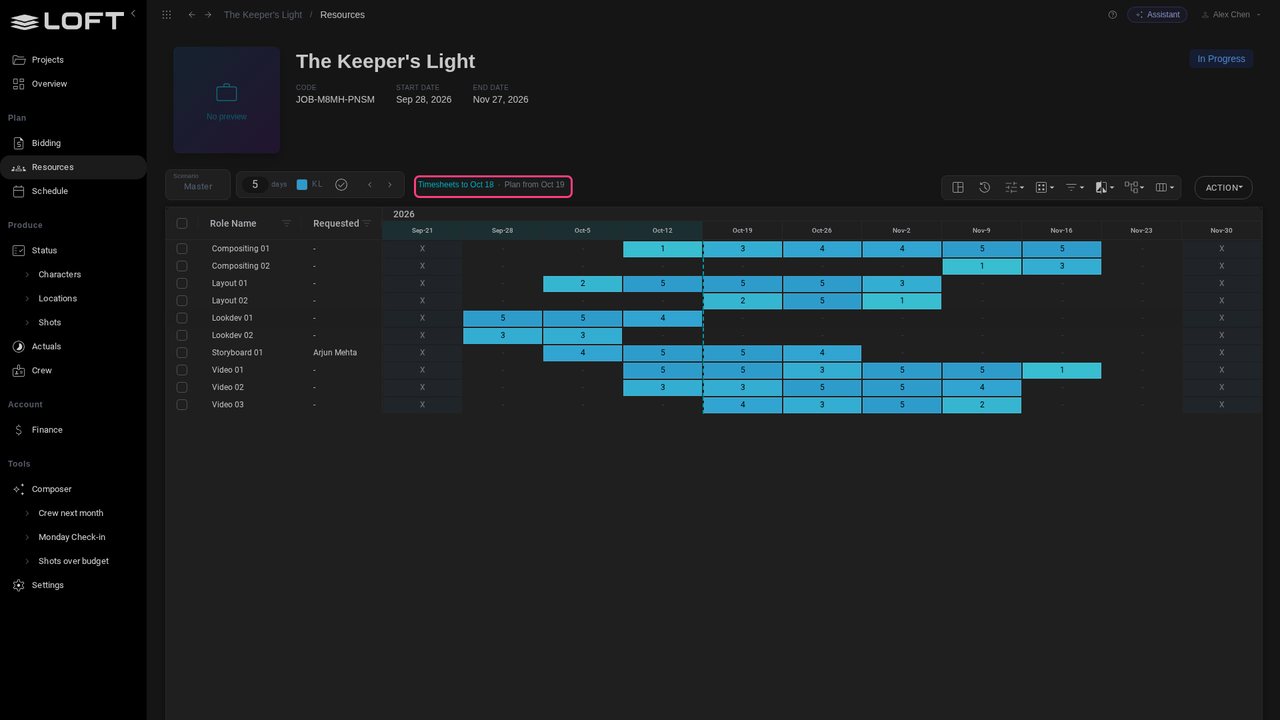
Choose Estimated Final Cost. Before the dashed line, the weeks are timesheet days; from it on, the plan. Timesheets for the current pay cycle are still coming in, so the last two weeks use the plan rather than read as an underspend.
SH010 took Zoe's slack, and her booking on Video 01 runs out the week after next with SH020 and SH030 still to do. Click that week and type 5, then 4 in the week after.
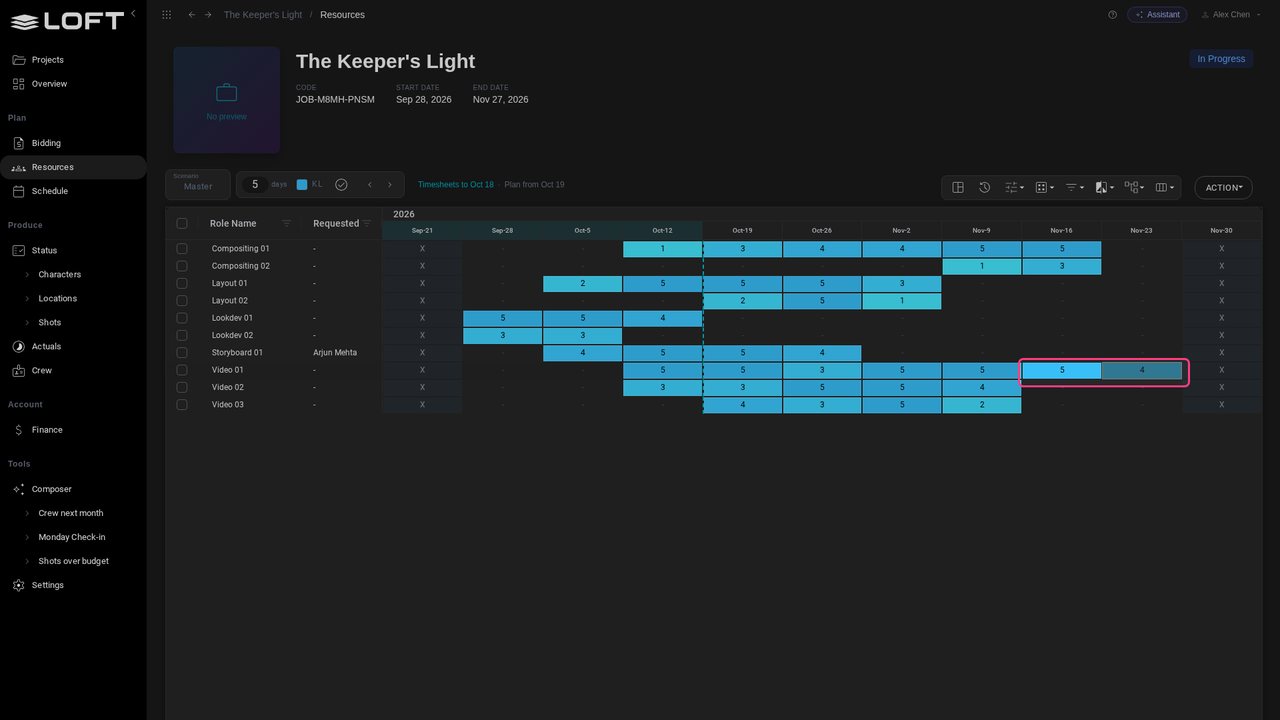
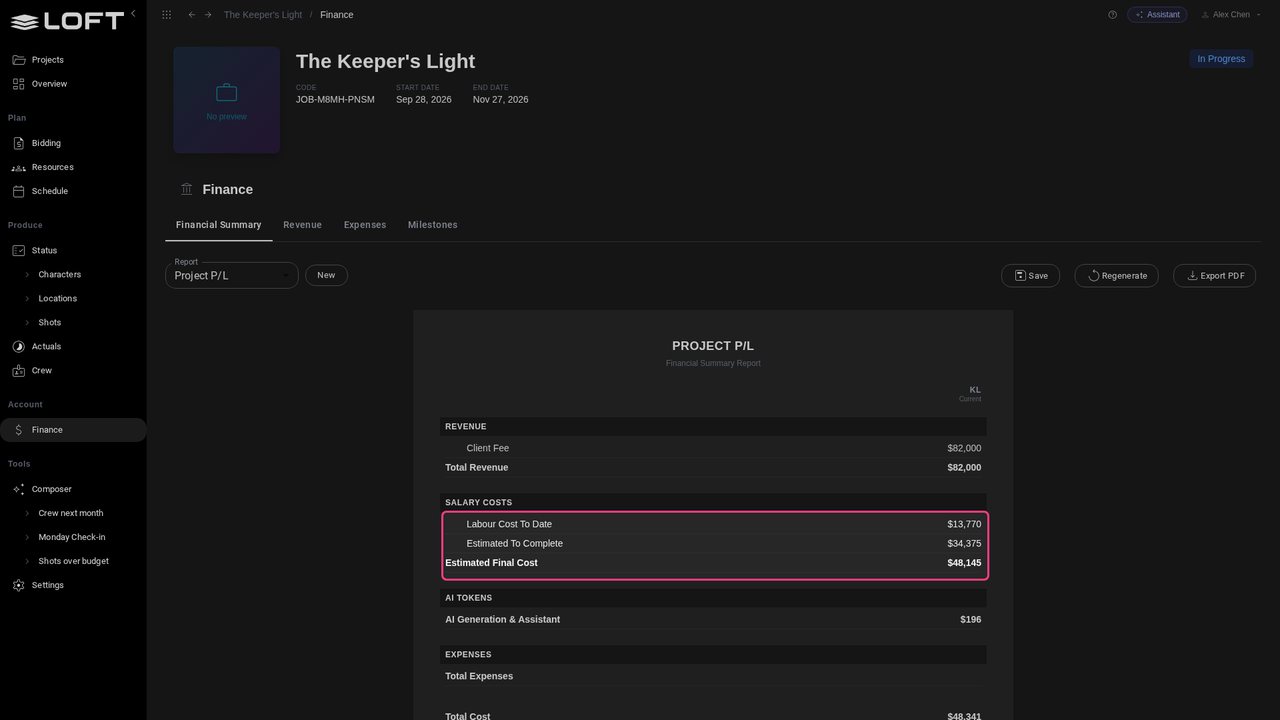
Back in Finance, the cost to date hasn't moved; the cost to complete has, so the Estimated Final Cost is now $48,145 and the margin 41%. As her timesheets for those weeks come in, they move from one line to the other.
Up next in Plan and run a production

Studios hire wherever the talent is, so a crew is paid in several currencies while the client pays in another. This tutorial gives a freelancer a rupee day rate, then reads the same project's resources and profit and loss in US dollars and in Canadian dollars, locks its exchange rates, and asks the Assistant for the margin.
In the playlists Plan and run a production.